See llms.txt for all machine-readable content.

Discord and IdealSpot integration

Save yourself the work of writing custom integrations for Discord and IdealSpot and use n8n instead. Build adaptable and scalable Communication, HITL, workflows that work with your technology stack. All within a building experience you will love.

How to connect Discord and IdealSpot

Create a new workflow and add the first step

In n8n, click the "Add workflow" button in the Workflows tab to create a new workflow. Add the starting point – a trigger on when your workflow should run: an app event, a schedule, a webhook call, another workflow, an AI chat, or a manual trigger. Sometimes, the HTTP Request node might already serve as your starting point.

Discord and IdealSpot integration: Create a new workflow and add the first step

Generate meeting minutes from videos with Whisper, Ollama LLM and Notion

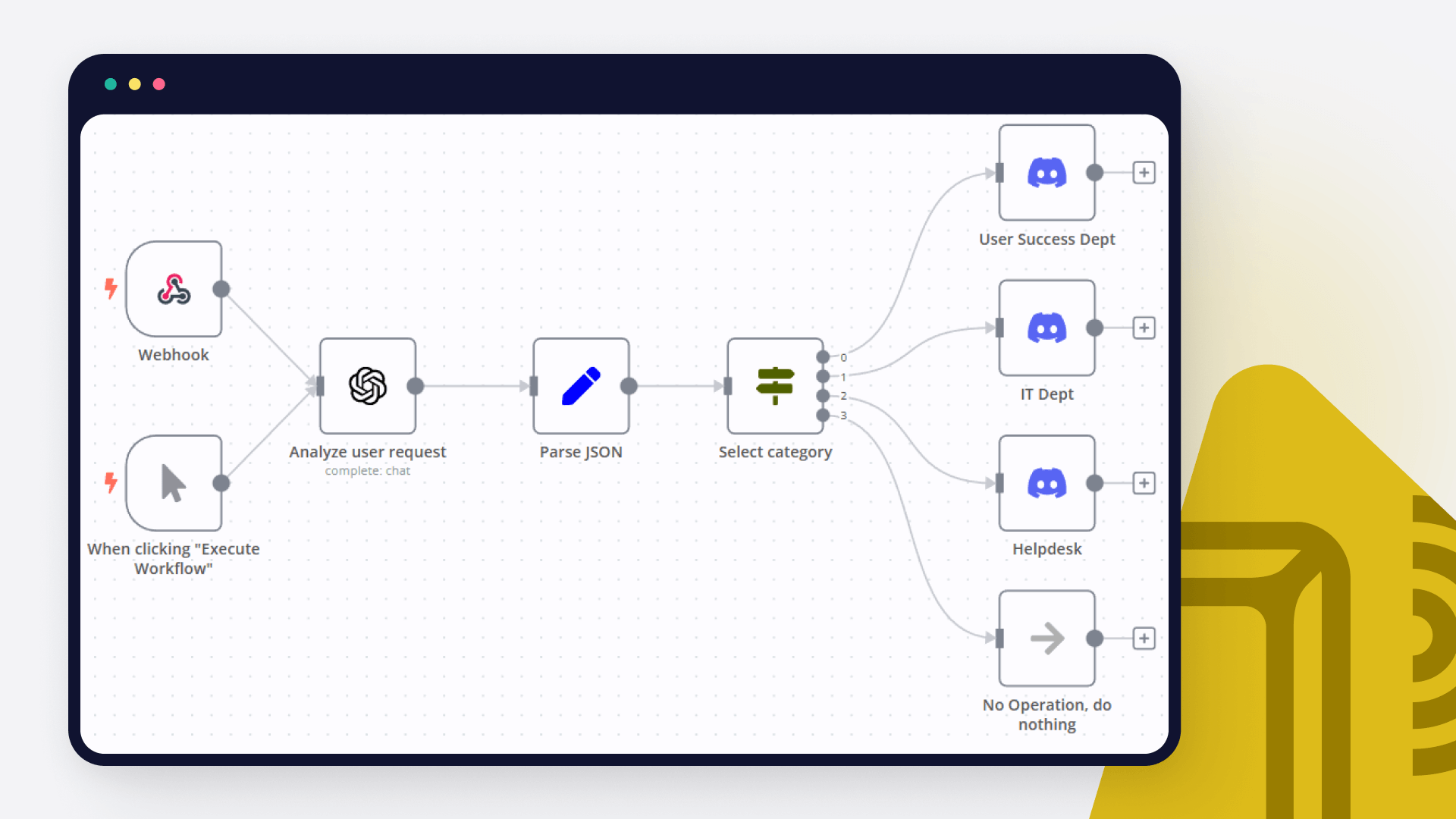
Automated Meeting Minutes from Video Recordings This workflow automatically transforms video recordings of meetings into structured, professional meeting minutes in Notion. It uses local AI models (Whisper for transcription and Ollama for summarization) to ensure privacy and cost efficiency, while uploading the original video to Google Drive for safekeeping. Ideal for creative teams, production reviews, or any scenario where visual context is as important as the spoken word. 🔄 How It Works Wait & Detect: The workflow monitors a local folder. When a new .mkv video file is added, it waits until the file has finished copying. Prepare Audio: The video is converted into a .wav audio file optimized for transcription (under 25 MB with high clarity). Transcribe Locally: The local Whisper model generates a timestamped text transcript. Generate Smart Minutes: The transcript is sent to a local Ollama LLM, which produces structured, summarized meeting notes. Store & Share: The original video is uploaded to Google Drive, a new page is created in Notion with the notes and a link to the video, and a completion notification is sent via Discord. ⏱️ Setup Steps Estimated Time: 10–15 minutes (for technically experienced users). Prerequisites: Install Python, FFmpeg, and required packages (openai-whisper, ffmpeg-python). Run Ollama locally with a compatible model (e.g., gpt-oss:20b, llama3, mistral). Configure n8n credentials for Google Drive, Notion, and Discord. Workflow Configuration: Update the file paths for the helper scripts (wait-for-file.ps1, create_wav.py, transcribe_return.py) in the respective "Execute Command" nodes. Change the input folder path (G:\OBS\videos) in the "File" node to your own recording directory. Replace the Google Drive folder ID and Notion database/page ID in their respective nodes. > 💡 Note: Detailed instructions for each step, including error handling and variable setup, are documented in the Sticky Notes within the workflow itself. 📁 Helper Scripts Documentation wait-for-file.ps1 A PowerShell script that checks if a file is still being written to (i.e., locked by another process). It returns 0 if the file is free and 1 if it is still locked. Usage: .\wait-for-file.ps1 -FilePath "C:\path\to\your\file.mkv" create_wav.py A Python script that converts a video file into a .wav audio file. It automatically calculates the necessary audio bitrate to keep the output file under 25 MB—a common requirement for many transcription services. Usage: python create_wav.py "C:\path\to\your\file.mkv" transcribe_return.py A Python script that uses a local Whisper model to transcribe an audio file. It can auto-detect the language or use a language code specified in the filename (e.g., meeting.en.mkv for English, meeting.es.mkv for Spanish). The transcript is printed directly to stdout with timestamps, which is then captured by the n8n workflow. Usage: Auto-detect language python transcribe_return.py "C:\path\to\your\file.mkv" Force language via filename python transcribe_return.py "C:\path\to\your\file.es.mkv"

Build your own Discord and IdealSpot integration

Create custom Discord and IdealSpot workflows by choosing triggers and actions. Nodes come with global operations and settings, as well as app-specific parameters that can be configured. You can also use the HTTP Request node to query data from any app or service with a REST API.

Discord supported actions

Supported methods for IdealSpot

Delete
Get
Head
Options
Patch
Post
Put

To set up IdealSpot integration, add the HTTP Request node to your workflow canvas and authenticate it using a generic authentication method. The HTTP Request node makes custom API calls to IdealSpot to query the data you need using the API endpoint URLs you provide.

See the example here

Requires additional credentials set up

Use n8n's HTTP Request node with a predefined or generic credential type to make custom API calls.

Discord and IdealSpot integration details

Discord

Discord

Discord helps a group of people communicate online and share activities together. It is used by study groups, gamers, and even professional teams. It allows you to organize calls, have conversations, stream live events, spark fresh ideas, and advertise your projects.

IdealSpot

IdealSpot

Idealspot is a data-driven platform that provides insights and analysis on location intelligence. By utilizing cutting-edge technology, it helps businesses make informed decisions regarding site selection, expansion, and customer targeting, allowing them to optimize their operations and maximize their success in the market.

Other integrations with Discord and IdealSpot

FAQ about Discord integrations

Need help setting up your Discord and IdealSpot integration?

Discover our latest community's recommendations and join the discussions about Discord and IdealSpot integration.

  • Muhammad Qasim

    How to get Discord messages in n8n

    Muhammad Qasim

    Hey Everyone! I have a problem, which is I want to listen to the Discord messages but in n8n i sreach a lot, but i won’t find something that I want. I have used the Discord trigger but it came with a webhook, which …

    Open topic
  • Mauricio Bachega

    Need help with Raw JSON in discord embeds

    Mauricio Bachega

    I’m trying to do product monitoring, where it may return 1 or more products, and for that I need to return the list in the embed, but I’ve tried every way and I can’t configure the Raw JSON of the embeds. Error: Cannot…

    Open topic
  • Rajat Jaiswal

    Course level 2 discord error || can not read properties of undefined (reading 'error')

    Rajat Jaiswal

    Hello Everyone, I was trying the Course level 2 work flow exercise. I did setup correctly the discord parameter and give correct message format. but unfortunately, I am getting following error “ Cannot read properties …

    Open topic
  • Nika

    Course 2 Workflow 2 Discord Error - Cannot read properties of undefined (reading 'error')

    Nika

    Please, help :folded_hands: Following instructions in the Course 2 Workflow 2: Use the Discord node to send a message in the n8n Discord channel #course-level-two. In the node, configure the following parameters: …

    Open topic
  • cease70

    Unable to Send to #course-level-1 on Discord & Can't Pass Quiz

    cease70

    Describe the problem/error/question I am taking the level 1 course and joined the Discord server as directed and started going through the steps on the server checklist to be able to send to the #course-level-1 section, …

    Open topic

Looking to integrate Slack and VirusTotal in your company?

Trusted by teams building smarter workflows.

Why

Why use n8n to integrate Discord with IdealSpot

Handle branching, merging and iteration easily. Pause your workflow to wait for external events.

Re-run single steps to test changes in no time. And pin your data to avoid generating trigger events every time you execute.

Your data is displayed alongside your settings, making edge cases easy to track down.

Use 1000+ workflow templates available from our core team and our community.

Copy and paste, easily import and export workflows.

Simple enough to 
understand + sophisticated 
enough to ship