See llms.txt for all machine-readable content.

Discord and LinkedIn integration

Save yourself the work of writing custom integrations for Discord and LinkedIn and use n8n instead. Build adaptable and scalable Communication, HITL, workflows that work with your technology stack. All within a building experience you will love.


How to connect Discord and LinkedIn

Create a new workflow and add the first step

In n8n, click the "Add workflow" button in the Workflows tab to create a new workflow. Add the starting point – a trigger on when your workflow should run: an app event, a schedule, a webhook call, another workflow, an AI chat, or a manual trigger. Sometimes, the HTTP Request node might already serve as your starting point.

Discord and LinkedIn integration: Create a new workflow and add the first step

AI-optimized content posting to X, Discord & LinkedIn with OpenRouter

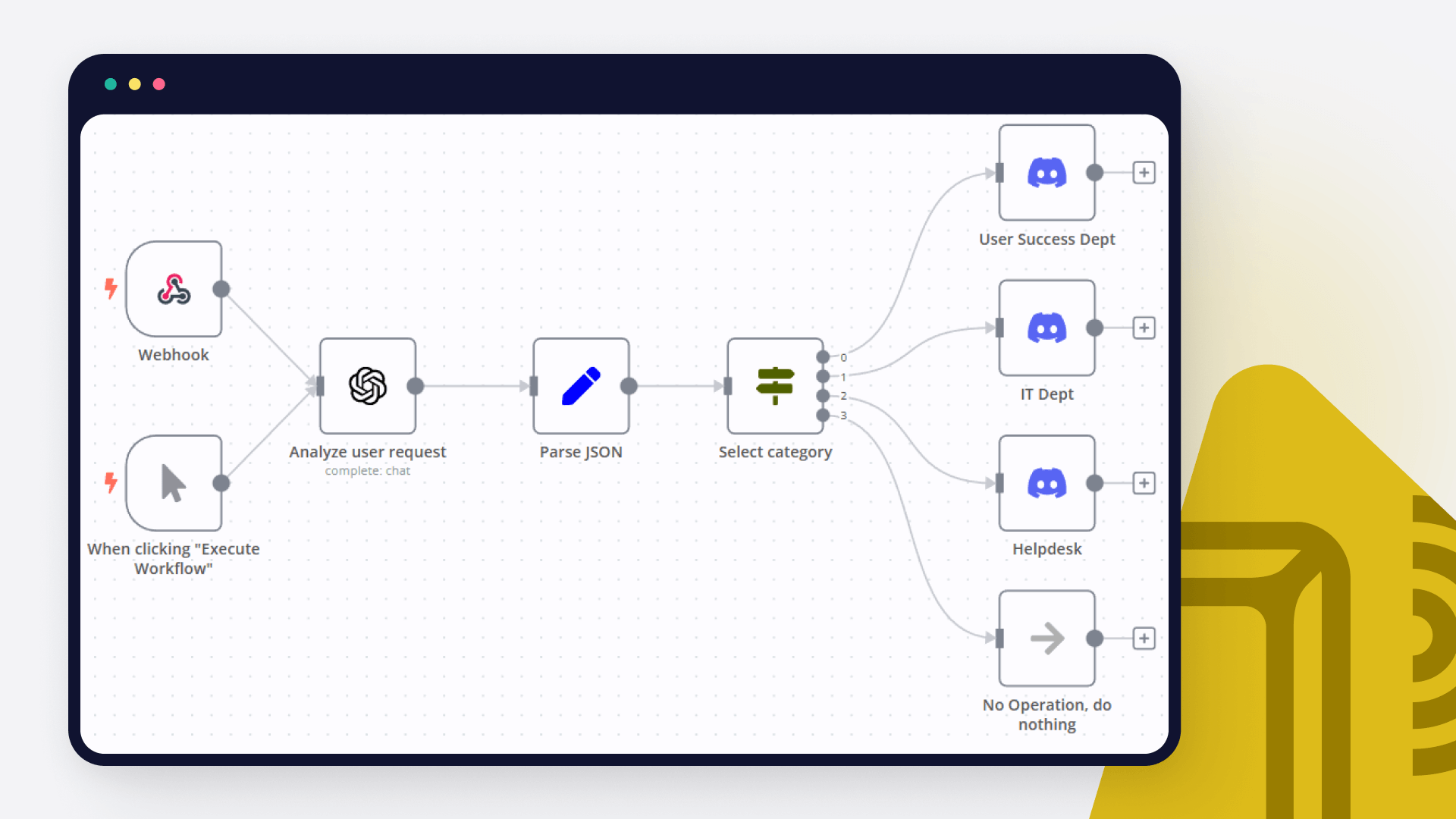
One message in, polished posts everywhere. BuzzBlast is an n8n workflow that takes a single chat message and rewrites it for X, Discord, and LinkedIn: punchy tweets for X, engaging messages for Discord, professional posts for LinkedIn. Smart language detection keeps the output in your input's language. Last updated: September 2026. Key Features Multi-Platform Posting: Shares optimized content to X, Discord, and LinkedIn simultaneously. AI Optimization: Uses OpenRouter’s AI to tailor content for each platform. Language Detection: Matches output to your input language for seamless engagement. Smart Routing: Automatically directs content to the right platform using a switch node. Chat Trigger: Initiates posts via a simple chat message. Zero Hassle: No manual reformatting. BuzzBlast handles it all. Ideal For Social media managers looking to streamline cross-platform posting. Content creators aiming to boost engagement with minimal effort. Businesses seeking to maximize reach across diverse audiences. Pre-Requirements n8n instance: A running n8n instance (cloud or self-hosted). Credentials: X account with OAuth2 API access. Discord Webhook API setup for your server. LinkedIn account with OAuth2 API access. OpenRouter account for AI language model access. Chat Trigger Setup: A configured chat platform (e.g., Slack, Telegram) to send input messages to the workflow. Setup Instructions Import the Workflow: Copy the provided workflow JSON and import it into your n8n instance via the "Import Workflow" option in the n8n editor. Configure Credentials: In the Post to X node, set up OAuth2 credentials for your X account. In the Post to Discord node, configure a Discord Webhook for your server. In the Post to LinkedIn node, add OAuth2 credentials for your LinkedIn account. In the OpenRouter AI Model node, provide API credentials for your OpenRouter account. Set Up Chat Trigger: In the Chat Input Trigger node, configure your preferred chat platform (e.g., Slack, Telegram) to send trigger messages. Ensure the webhook is active and correctly linked to your chat platform. Test the Workflow: Send a test message via your chat platform (e.g., "Announcing our new product launch!"). Verify that the AI optimizes the content and posts it to X, Discord, and LinkedIn as expected. Activate the Workflow: Once tested, toggle the workflow to "Active" in n8n to enable automatic execution when chat messages are received. Customization Guidance Change Chat Trigger: Adjust the chat trigger to your preferred platform like Telegram, Discord, etc. Modify AI Prompt: Adjust the prompt in the AI Content Optimizer node to change the tone or style (e.g., more professional for LinkedIn or conversational for Discord). Add New Platforms: Extend the Route to Platforms node by adding conditions for additional platforms (e.g., Instagram or Facebook) and corresponding posting nodes. Change AI Model: In the OpenRouter AI Model node, select a different OpenRouter model to optimize content quality or manage costs. Enhance Output Format: Update the JSON schema in the Parse AI Output node to include additional fields like hashtags, emojis, or links for specific platforms. Add Error Handling: Include an error-handling node after the Route to Platforms node to log failed posts or retry them automatically. Why Choose BuzzBlast? BuzzBlast saves time, maximizes reach, and lets AI craft platform-perfect posts that resonate with your audience. Whether you're an influencer, marketer, or business, cross-platform posting becomes effortless. Quick Answers How do I publish a post? Send one chat message to the Chat Trigger (e.g., from Slack or Telegram). The workflow does the rest. Will it keep my language? Yes. Language detection matches the output to whatever language you wrote in. Can I add more platforms? Yes. Extend the Route to Platforms node with new conditions, e.g., Instagram or Facebook. made by: khmuhtadin Need a custom? contact me on LinkedIn or Web Additional info Built with n8n. Need an assessment on your business? Feel free to reach out at https://khmuhtadin.com/consultation/

Build your own Discord and LinkedIn integration

Create custom Discord and LinkedIn workflows by choosing triggers and actions. Nodes come with global operations and settings, as well as app-specific parameters that can be configured. You can also use the HTTP Request node to query data from any app or service with a REST API.

Discord supported actions

LinkedIn supported actions

Discord and LinkedIn integration details

Discord

Discord

Discord helps a group of people communicate online and share activities together. It is used by study groups, gamers, and even professional teams. It allows you to organize calls, have conversations, stream live events, spark fresh ideas, and advertise your projects.

LinkedIn

LinkedIn

LinkedIn is a professional social networking platform and business community where professionals can share job offers and courses, and post about business news and insights.

Automate lead management

Using too many marketing tools? n8n lets you orchestrate all your apps into one cohesive, automated workflow.

Learn more

FAQ about Discord integrations

Need help setting up your Discord and LinkedIn integration?

Discover our latest community's recommendations and join the discussions about Discord and LinkedIn integration.

  • Muhammad Qasim

    How to get Discord messages in n8n

    Muhammad Qasim

    Hey Everyone! I have a problem, which is I want to listen to the Discord messages but in n8n i sreach a lot, but i won’t find something that I want. I have used the Discord trigger but it came with a webhook, which …

    Open topic
  • Mauricio Bachega

    Need help with Raw JSON in discord embeds

    Mauricio Bachega

    I’m trying to do product monitoring, where it may return 1 or more products, and for that I need to return the list in the embed, but I’ve tried every way and I can’t configure the Raw JSON of the embeds. Error: Cannot…

    Open topic
  • Rajat Jaiswal

    Course level 2 discord error || can not read properties of undefined (reading 'error')

    Rajat Jaiswal

    Hello Everyone, I was trying the Course level 2 work flow exercise. I did setup correctly the discord parameter and give correct message format. but unfortunately, I am getting following error “ Cannot read properties …

    Open topic
  • Nika

    Course 2 Workflow 2 Discord Error - Cannot read properties of undefined (reading 'error')

    Nika

    Please, help :folded_hands: Following instructions in the Course 2 Workflow 2: Use the Discord node to send a message in the n8n Discord channel #course-level-two. In the node, configure the following parameters: …

    Open topic
  • cease70

    Unable to Send to #course-level-1 on Discord & Can't Pass Quiz

    cease70

    Describe the problem/error/question I am taking the level 1 course and joined the Discord server as directed and started going through the steps on the server checklist to be able to send to the #course-level-1 section, …

    Open topic

Looking to integrate Slack and VirusTotal in your company?

Trusted by teams building smarter workflows.

Why

Why use n8n to integrate Discord with LinkedIn

Handle branching, merging and iteration easily. Pause your workflow to wait for external events.

Re-run single steps to test changes in no time. And pin your data to avoid generating trigger events every time you execute.

Your data is displayed alongside your settings, making edge cases easy to track down.

Use 1000+ workflow templates available from our core team and our community.

Copy and paste, easily import and export workflows.

Simple enough to 
understand + sophisticated 
enough to ship