See llms.txt for all machine-readable content.

GitHub and Route4Me integration

Save yourself the work of writing custom integrations for GitHub and Route4Me and use n8n instead. Build adaptable and scalable Development, workflows that work with your technology stack. All within a building experience you will love.

How to connect GitHub and Route4Me

Create a new workflow and add the first step

In n8n, click the "Add workflow" button in the Workflows tab to create a new workflow. Add the starting point – a trigger on when your workflow should run: an app event, a schedule, a webhook call, another workflow, an AI chat, or a manual trigger. Sometimes, the HTTP Request node might already serve as your starting point.

GitHub and Route4Me integration: Create a new workflow and add the first step

Automatically document and backup N8N workflows

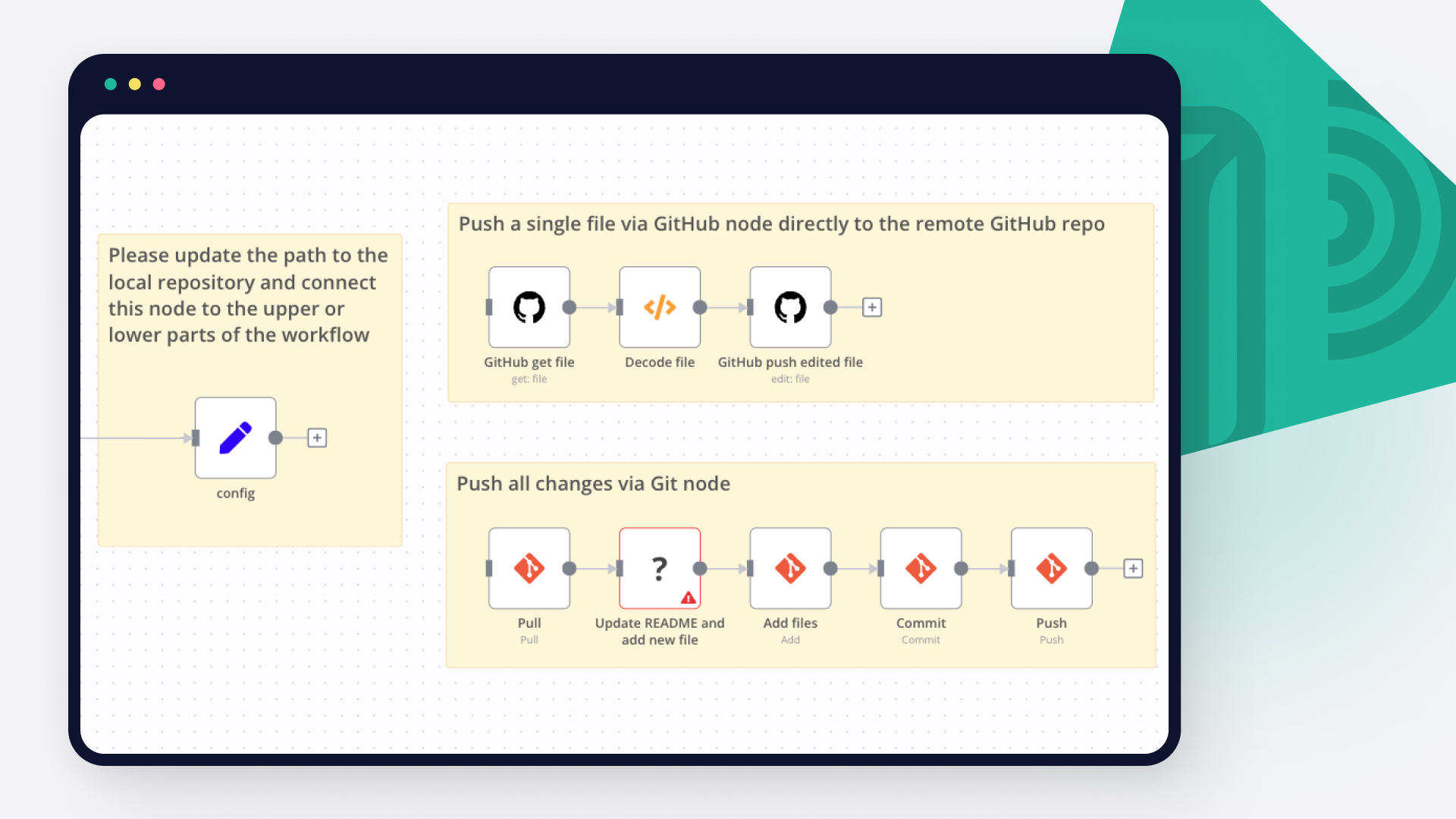
Automatically backs up your workflows to Github and generates documentation in a Notion database. Weekly run, uses the "internal-infra" tag to look for new or recently modified workflows Uses a Notion database page to hold the workflow summary, last updated date, and a link to the workflow Uses OpenAI's 4o-mini to generate a summarization of what the workflow does Stores a backup of the workflow in GitHub (recommend a private repo) Sends notification to Slack channel for new or updated workflows Who is this for Anyone seeking backup of their most important workflows Anyone seeking version control for their most important workflows Credentials required N8N: You will need an N8N credential created so the workflow can query the N8N instance to find all active workflows with the "internal-infra" tag Notion: You will need an Notion credential created OpenAI: You will need an OpenAI credential, unless you intend on rewiring this with your AI of choice (ollama, openrouter, etc.) GitHub: You will need an GitHub credential Slack: You will require an Slack credential, recommend a Bot / access token configuration Setup Notion Create a database with the following columns. Column type is specified in [type]. Workflow Name [text] isActive (dev) [checkbox] Error workflow setup [checkbox] AI Summary [text] Record last update [date/time] URL (dev) [text/url] Workflow created at [date/time] Workflow updated at [date/time] Slack Create a channel for updates to be posted into Github Create a private repo for your workflows to be exported into N8N Download & install the template Configure the blocks to use your N8N, Notion, OpenAI & Slack credentials for your own Edit the "Set Fields" block and change the URL to that of your N8N instance (cloud or self-hosted) Edit the "Add to Notion" action and specify the Database page you wish to update Edit the Slack actions to specify the Channel you want slack notifications posted to Edit the GitHub actions to specify the Repository Owner & Repository Name Sample output in NotionAutodoc_backup_workflows_NotionOutput.png Workflow diagramAutodoc_backup_workflows_N8NEditorView.png

Build your own GitHub and Route4Me integration

Create custom GitHub and Route4Me workflows by choosing triggers and actions. Nodes come with global operations and settings, as well as app-specific parameters that can be configured. You can also use the HTTP Request node to query data from any app or service with a REST API.

GitHub supported actions

Supported API Endpoints for Route4Me

To set up Route4Me integration, add the HTTP Request node to your workflow canvas and authenticate it using a generic authentication method. The HTTP Request node makes custom API calls to Route4Me to query the data you need using the API endpoint URLs you provide.

See the example here

These API endpoints were generated using n8n

n8n AI workflow transforms web scraping into an intelligent, AI-powered knowledge extraction system that uses vector embeddings to semantically analyze, chunk, store, and retrieve the most relevant API documentation from web pages. Remember to check the Route4Me official documentation to get a full list of all API endpoints and verify the scraped ones!

GitHub and Route4Me integration details

GitHub

GitHub

GitHub is the number one platform for developers. It boosts their software development and enhances their collaboration options. The tools offered by Github help you automate your tasks and facilitate your work, that is why it is preferred by millions of developers around the world.

Route4Me

Route4Me

Route4Me is a route optimization software that helps businesses streamline their delivery routes. It provides real-time tracking, efficient planning, and enables businesses to save time, reduce fuel costs, and improve customer satisfaction.

Other integrations with GitHub and Route4Me

Save engineering resources

Reduce time spent on customer integrations, engineer faster POCs, keep your customer-specific functionality separate from product all without having to code.

Learn more

FAQ about GitHub integrations

Need help setting up your GitHub and Route4Me integration?

Discover our latest community's recommendations and join the discussions about GitHub and Route4Me integration.

  • DupervalAI

    How do I download a binary file using the GitHub node?

    DupervalAI

    Hi, How am I supposed to download a binary file that I fetch with the “Get a file” feature of the GitHub node? I see the file in my execution but it has a downlad button in it that I need to click manually, it seems. I…

    Open topic
  • Семен Буров

    Github Node Error: Could not get the SHA of the file, when try edit file with # or Emoji in name

    Семен Буров

    Describe the problem/error/question I try to use many templates for N8N Backup to github. For example: Github N8N Backups: How to backup workflows with folder structure instead of tags? And in my case i have an error w…

    Open topic
  • Piotr Sikora

    Github List Files Node - How to change branch?

    Piotr Sikora

    Describe the problem/error/question I’m using Github List node. I want to list files and directories from specific branch. As you can see above - there is no option to change the branch. Do you have any option to do…

    Open topic
  • Ammar Aamir

    Environements Control

    Ammar Aamir

    Is environmental control only available for the Enterprise subscription? Is N8N planning to make it available for the community version? This is literally an essential feature.

    Open topic

Looking to integrate Slack and VirusTotal in your company?

Trusted by teams building smarter workflows.

Why

Why use n8n to integrate GitHub with Route4Me

Handle branching, merging and iteration easily. Pause your workflow to wait for external events.

Re-run single steps to test changes in no time. And pin your data to avoid generating trigger events every time you execute.

Your data is displayed alongside your settings, making edge cases easy to track down.

Use 1000+ workflow templates available from our core team and our community.

Copy and paste, easily import and export workflows.

Simple enough to 
understand + sophisticated 
enough to ship