See llms.txt for all machine-readable content.

Gmail and GoDaddy integration

Save yourself the work of writing custom integrations for Gmail and GoDaddy and use n8n instead. Build adaptable and scalable Communication, HITL, workflows that work with your technology stack. All within a building experience you will love.


How to connect Gmail and GoDaddy

Create a new workflow and add the first step

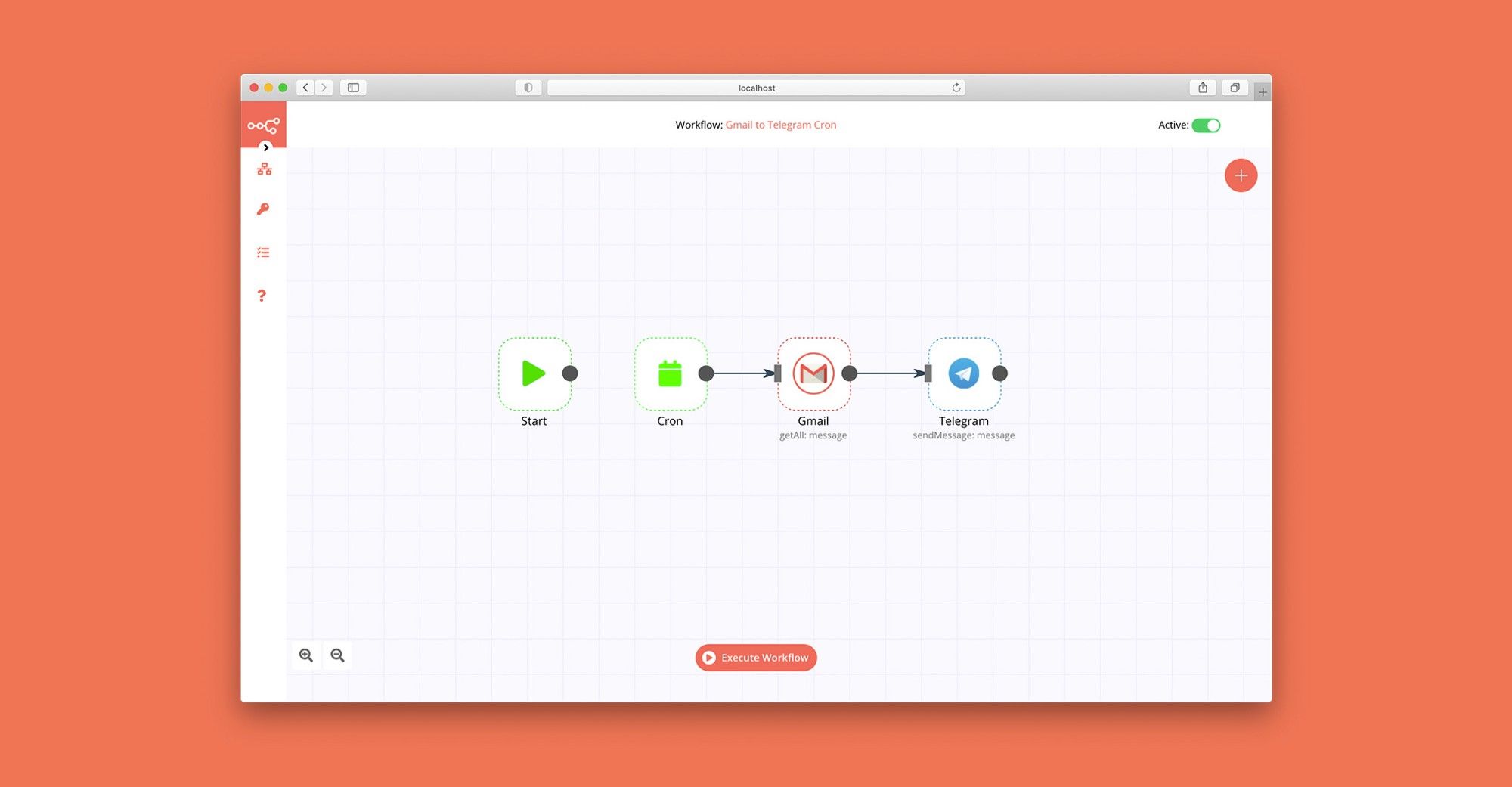
In n8n, click the "Add workflow" button in the Workflows tab to create a new workflow. Add the starting point – a trigger on when your workflow should run: an app event, a schedule, a webhook call, another workflow, an AI chat, or a manual trigger. Sometimes, the HTTP Request node might already serve as your starting point.

Gmail and GoDaddy integration: Create a new workflow and add the first step

WordPress blog automation: AI SEO content, images, scheduling & email alerts

Description: This workflow fully automates your blog publishing process using n8n, AI, and WordPress. It pulls blog data from Google Sheets, generates SEO-optimized content with AI, creates feature images, sets meta titles & descriptions, uploads everything to WordPress, schedules posts, and sends email notifications—all without manual work. Ideal for digital marketers, content teams, and agencies who want: 🔹 High-volume blog publishing 🔹 SEO-friendly AI-generated content 🔹 Automated WordPress post creation with featured images 🔹 Optimized Google meta titles, descriptions, and URL slugs 🔹 Structured chapters, FAQs, and internal/external linking 🔹 Email notifications to alert team members or clients 🌐 What This Template Does Pulls Blog Data from Google Sheets 🔹 Fetches blog post info from your Sheet: title, keywords, scheduled date, service areas, word count, style, CTA, logos, internal/external links, and more. Compares Scheduled Date with Today 🔹 Ensures posts are published only on their intended date, preventing mistakes and saving time. Generates AI SEO Content 🔹 Title & subtitle 🔹 Introduction (~60 words) 🔹 Multi-chapter body with logical flow 🔹 Conclusions (~60 words) 🔹 FAQ section (4–6 Q&A) 🔹 SEO-focused URL slug & meta information Chapters integrate internal links, external links, service areas, and CTAs naturally. Creates Feature Images 🔹 Generates eye-catching blog feature images using dynamic text wrapping and custom fonts, ready for WordPress upload. Uploads Everything to WordPress 🔹 Automates post creation, uploads images, sets featured media, and applies Yoast SEO meta info for Google and social sharing. Sends Email Notifications 🔹 Automatically notifies team members or clients when a blog post is published, including post title, link, and summary. Fully Marketing-Optimized Workflow 🔹 SEO-friendly structure 🔹 Brand-consistent imagery 🔹 Engaging content with clear CTAs 🔹 Automation that saves hours per post Optional HTML Design for Blog Pages 🔹 Generates HTML-ready posts with clean formatting perfect for Elementor or any WordPress theme. 🛠️ Use Cases 🔹 High-volume content marketing 🔹 AI-assisted blog writing for agencies 🔹 Automated SEO optimization 🔹 Streamlined WordPress publishing 🔹 Marketing campaigns with internal/external link integration 🔹 Team/client notification workflow 🚀 Features 🔹 fully automated 🔹 Works with Google Sheets + WordPress 🔹 AI-generated SEO content 🔹 Custom feature images 🔹 Meta title & description optimized for Google 🔹 Chapter-based content structure with FAQs 🔹 Marketing-ready calls to action 🔹 Automated email notifications 📝 Tags #n8n #automation #wordpress #blogautomation #seo #contentmarketing #ai #featureimage #metaoptimization #digitalmarketing #aiwriting #workflow #emailnotifications Sample of spreadsheet: Spreadsheet format.PNG

Build your own Gmail and GoDaddy integration

Create custom Gmail and GoDaddy workflows by choosing triggers and actions. Nodes come with global operations and settings, as well as app-specific parameters that can be configured. You can also use the HTTP Request node to query data from any app or service with a REST API.

Gmail supported actions

Supported methods for GoDaddy

Delete
Get
Head
Options
Patch
Post
Put

To set up GoDaddy integration, add the HTTP Request node to your workflow canvas and authenticate it using a generic authentication method. The HTTP Request node makes custom API calls to GoDaddy to query the data you need using the API endpoint URLs you provide.

See the example here

Requires additional credentials set up

Use n8n's HTTP Request node with a predefined or generic credential type to make custom API calls.

Gmail and GoDaddy integration details

Gmail

Gmail

Gmail is a free of charge email service offered as part of Google Workspace. It is used by individuals and organizations to send and receive emails and communicate internally and externally. It remains the world’s most widely used email service.

GoDaddy

GoDaddy

GoDaddy is a well-known internet domain registrar and web hosting company. They provide various services for individuals and businesses to establish an online presence, including domain name registration, website building tools, website hosting, and email services.

Other integrations with Gmail and GoDaddy

FAQ about Gmail integrations

Need help setting up your Gmail and GoDaddy integration?

Discover our latest community's recommendations and join the discussions about Gmail and GoDaddy integration.

  • jake chard

    How do I remove n8n Email footer in Gmail node send message?

    jake chard

    Each email sent has “This email was sent automatically with n8n” in the footer or after the email. How do I remove this please?

    Open topic
  • Jan Koch

    Sending attachment via Gmail

    Jan Koch

    Describe the problem/error/question I am trying to send an email with an attachment using the Gmail node and get an error that I don’t understand. I am able to download that file from the original email and upload it to …

    Open topic
  • FawenYo

    Failed to send Gmail attachment

    FawenYo

    Describe the problem/error/question I’m trying to send an HTML file in the Gmail attachment, but it just raise an error. This question is similar to Sending attachment via Gmail , but I just couldn’t get it work …

    Open topic
  • Jean-Pierre GARNIER

    Gmail node subject text encoding issue

    Jean-Pierre GARNIER

    Describe the problem/error/question Hi, I’m facing an encoding problem while sending email with gmail node for every char with and accent (é,à,ô,î…). I noticed that this problem doesn’t occurs when i’m directly writing …

    Open topic
  • Anirudh Tugawe

    Update Google Sheets After sending Email

    Anirudh Tugawe

    Hi everyone, I’m working on a workflow where I’m using Google Sheets to get input data. I have a loop set up that correctly reads the data and processes it: it takes a Word document template, app…

    Open topic

Looking to integrate Slack and VirusTotal in your company?

Trusted by teams building smarter workflows.

Why

Why use n8n to integrate Gmail with GoDaddy

Handle branching, merging and iteration easily. Pause your workflow to wait for external events.

Re-run single steps to test changes in no time. And pin your data to avoid generating trigger events every time you execute.

Your data is displayed alongside your settings, making edge cases easy to track down.

Use 1000+ workflow templates available from our core team and our community.

Copy and paste, easily import and export workflows.

Simple enough to 
understand + sophisticated 
enough to ship