See llms.txt for all machine-readable content.

Gmail and Team Up integration

Save yourself the work of writing custom integrations for Gmail and Team Up and use n8n instead. Build adaptable and scalable Communication, HITL, workflows that work with your technology stack. All within a building experience you will love.
How to connect Gmail and Team Up

Create a new workflow and add the first step

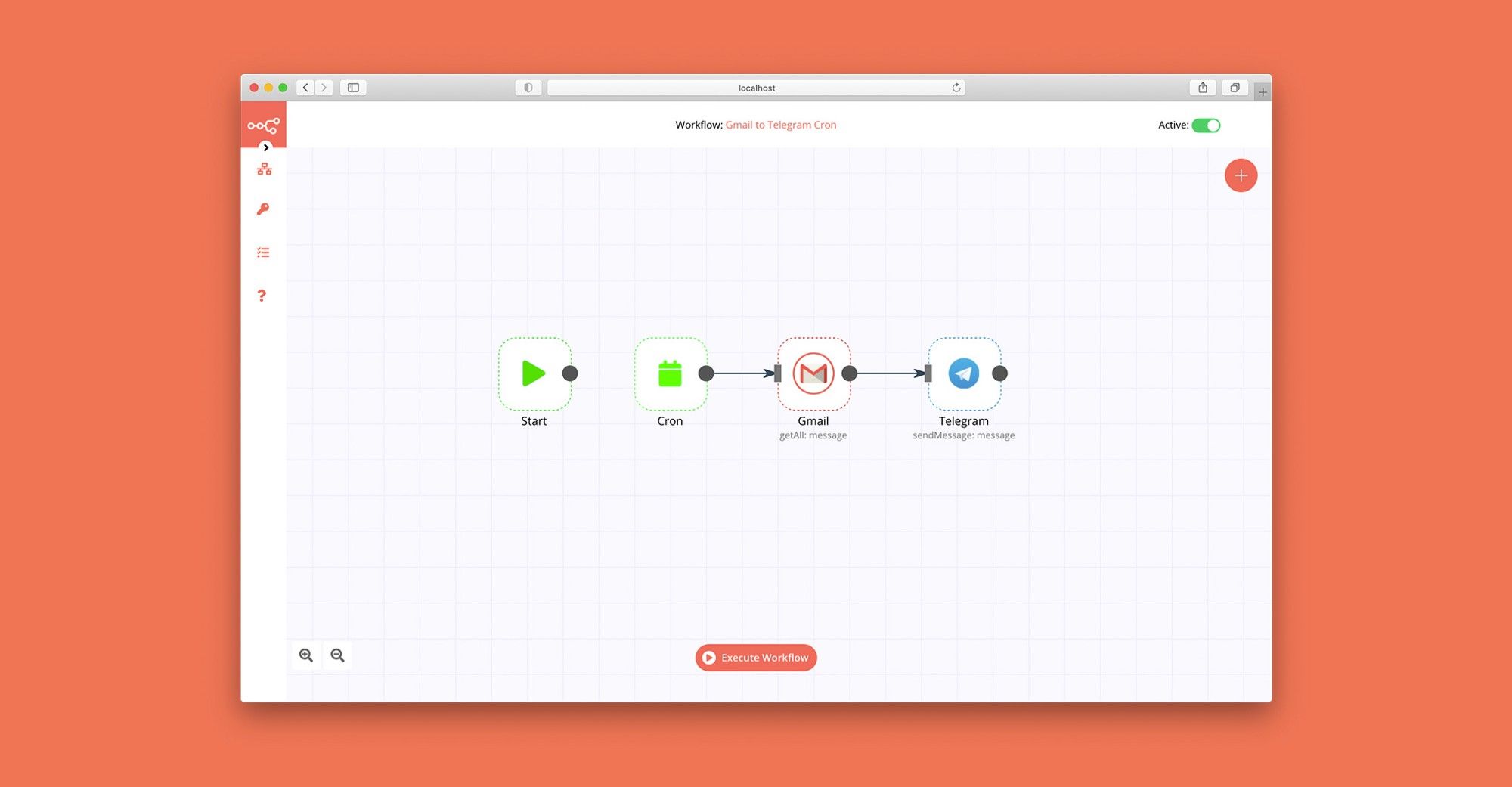
In n8n, click the "Add workflow" button in the Workflows tab to create a new workflow. Add the starting point – a trigger on when your workflow should run: an app event, a schedule, a webhook call, another workflow, an AI chat, or a manual trigger. Sometimes, the HTTP Request node might already serve as your starting point.

Gmail and Team Up integration: Create a new workflow and add the first step

Suspicious login detection

This n8n workflow is designed for security monitoring and incident response when suspicious login events are detected. It can be initiated either manually from within the n8n UI for testing or automatically triggered by a webhook when a new login event occurs. The workflow first extracts relevant data from the incoming webhook payload, including the IP address, user agent, timestamp, URL, and user ID. It then splits into three parallel processing paths. In the first path, it queries GreyNoise's Community API to retrieve information about the investigated IP address. Depending on the classification and trust level received from GreyNoise, the alert is given a High, Medium, or Low priority. This priority is assigned based on the best practices documentation from GreyNoise on how to apply their data to analysis. Once a priority is assigned, a message is sent to a Slack channel to notify users about the alert. The second path involves fetching geolocation data about the IP address using IP-API's Geolocation API and merging it with data from the UserParser node. This data is then combined with the data obtained from GreyNoise. In the third path, the UserParser node queries the Userparser IP address and user agent lookup API to obtain information about the user's IP and user agent. This data is merged with the IP-API data and GreyNoise data. The workflow then checks if the IP address is considered an unknown threat by examining both the noise and riot fields from GreyNoise. If it is considered an unknown threat, the workflow proceeds to retrieve the last 10 login records for the same user from a Postgres database. If there are any discrepancies in the login information, indicating a new location or device/browser, the user is informed via email. Potential issues when setting up this workflow include ensuring that credentials are correctly entered for GreyNoise and UserParser nodes, and addressing any discrepancies in the data sources that could lead to false positives or negatives in threat detection. Additionally, the usage of hardcoded API keys should be replaced with credentials for security and flexibility. Thorough testing and validation with sample data are crucial to ensure the workflow performs as expected and aligns with security incident response procedures.

Build your own Gmail and Team Up integration

Create custom Gmail and Team Up workflows by choosing triggers and actions. Nodes come with global operations and settings, as well as app-specific parameters that can be configured. You can also use the HTTP Request node to query data from any app or service with a REST API.

Gmail supported actions

Supported API Endpoints for Team Up

To set up Team Up integration, add the HTTP Request node to your workflow canvas and authenticate it using a generic authentication method. The HTTP Request node makes custom API calls to Team Up to query the data you need using the API endpoint URLs you provide.

See the example here

These API endpoints were generated using n8n

n8n AI workflow transforms web scraping into an intelligent, AI-powered knowledge extraction system that uses vector embeddings to semantically analyze, chunk, store, and retrieve the most relevant API documentation from web pages. Remember to check the Team Up official documentation to get a full list of all API endpoints and verify the scraped ones!

Gmail and Team Up integration details

Gmail

Gmail

Gmail is a free of charge email service offered as part of Google Workspace. It is used by individuals and organizations to send and receive emails and communicate internally and externally. It remains the world’s most widely used email service.

Team Up

Team Up

TeamUp is a versatile scheduling platform that simplifies team coordination. This software offers intuitive calendar tools, easy event creation, and real-time collaboration features. With customizable views and seamless sharing options, TeamUp provides a comprehensive app for streamlined scheduling and team organization.

Other integrations with Gmail and Team Up

FAQ about Gmail integrations

Need help setting up your Gmail and Team Up integration?

Discover our latest community's recommendations and join the discussions about Gmail and Team Up integration.

  • jake chard

    How do I remove n8n Email footer in Gmail node send message?

    jake chard

    Each email sent has “This email was sent automatically with n8n” in the footer or after the email. How do I remove this please?

    Open topic
  • Jan Koch

    Sending attachment via Gmail

    Jan Koch

    Describe the problem/error/question I am trying to send an email with an attachment using the Gmail node and get an error that I don’t understand. I am able to download that file from the original email and upload it to …

    Open topic
  • FawenYo

    Failed to send Gmail attachment

    FawenYo

    Describe the problem/error/question I’m trying to send an HTML file in the Gmail attachment, but it just raise an error. This question is similar to Sending attachment via Gmail , but I just couldn’t get it work …

    Open topic
  • Jean-Pierre GARNIER

    Gmail node subject text encoding issue

    Jean-Pierre GARNIER

    Describe the problem/error/question Hi, I’m facing an encoding problem while sending email with gmail node for every char with and accent (é,à,ô,î…). I noticed that this problem doesn’t occurs when i’m directly writing …

    Open topic
  • Anirudh Tugawe

    Update Google Sheets After sending Email

    Anirudh Tugawe

    Hi everyone, I’m working on a workflow where I’m using Google Sheets to get input data. I have a loop set up that correctly reads the data and processes it: it takes a Word document template, app…

    Open topic

Looking to integrate Slack and VirusTotal in your company?

Trusted by teams building smarter workflows.

Why

Why use n8n to integrate Gmail with Team Up

Handle branching, merging and iteration easily. Pause your workflow to wait for external events.

Re-run single steps to test changes in no time. And pin your data to avoid generating trigger events every time you execute.

Your data is displayed alongside your settings, making edge cases easy to track down.

Use 1000+ workflow templates available from our core team and our community.

Copy and paste, easily import and export workflows.

Simple enough to 
understand + sophisticated 
enough to ship