See llms.txt for all machine-readable content.

OpenAI and Woodpecker.co integration

Save yourself the work of writing custom integrations for OpenAI and Woodpecker.co and use n8n instead. Build adaptable and scalable AI, workflows that work with your technology stack. All within a building experience you will love.

How to connect OpenAI and Woodpecker.co

Create a new workflow and add the first step

In n8n, click the "Add workflow" button in the Workflows tab to create a new workflow. Add the starting point – a trigger on when your workflow should run: an app event, a schedule, a webhook call, another workflow, an AI chat, or a manual trigger. Sometimes, the HTTP Request node might already serve as your starting point.

OpenAI and Woodpecker.co integration: Create a new workflow and add the first step

All-in-one Telegram/Baserow AI assistant 🤖🧠 Voice/Photo/Save notes/Long term mem

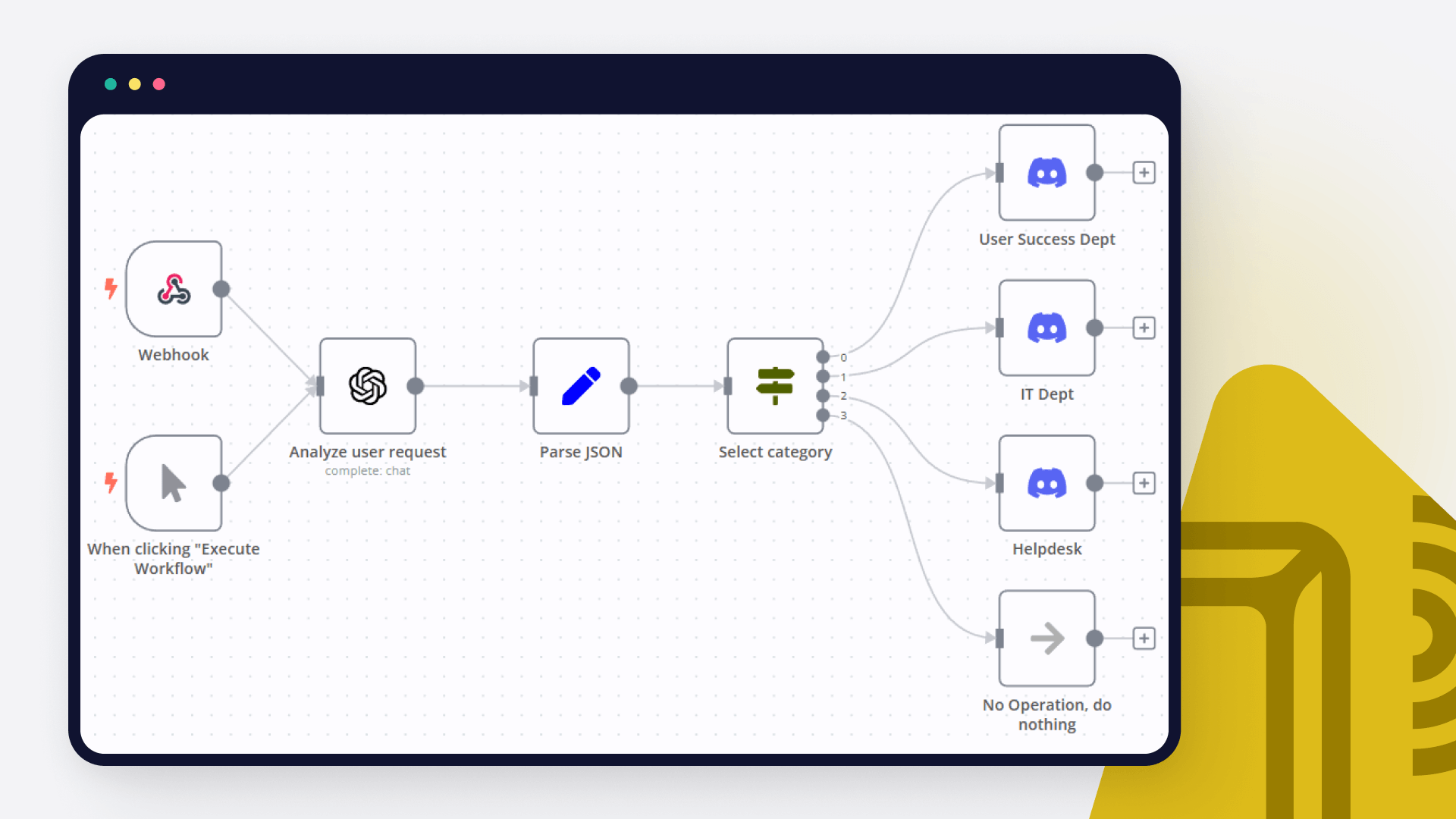
Telegram Personal Assistant with Long-Term Memory & Note-Taking This n8n workflow transforms your Telegram bot into a powerful personal assistant that handles voice, photo, and text messages. The assistant uses AI to interpret messages, save important details as long-term memories or notes in a Baserow database, and recall information for future interactions. 🌟 How It Works Message Reception & Routing Telegram Integration: The workflow is triggered by incoming messages on your Telegram bot. Dynamic Routing: A switch node inspects the message to determine whether it's voice, text, or photo (with captions) and routes it for the appropriate processing. Content Processing Voice Messages: Audio files are retrieved and sent to an AI transcription node to convert spoken words into text. Text Messages: Text is directly captured and prepared for analysis. Photos: If an image is received, the bot fetches the file (and caption, if provided) and uses an AI-powered image analysis node to extract relevant details. AI-Powered Agent & Memory Management The core AI agent (powered by GPT-4o-mini) processes the incoming message along with any previous conversation history stored in PostgreSQL memory buffers. Long-Term Memory: When a message contains personal or noteworthy information, the assistant uses a dedicated tool to save this data as a long-term memory in Baserow. Note-Taking: For specific instructions or reminders, the assistant saves concise notes in a separate Baserow table. The AI agent follows defined rules to decide which details are saved as memories and which are saved as notes. Response Generation After processing the message and updating memory/notes as needed, the AI agent crafts a contextual and personalized response. The response is sent back to the user via Telegram, ensuring smooth and natural conversation flow. 🚀 Key Features Multimodal Input: Seamlessly handles voice, photo (with captions), and text messages. Long-Term Memory & Note-Taking: Uses a Baserow database to store personal details and notes, enhancing conversational context over time. AI-Driven Contextual Responses: Leverages an AI agent to generate personalized, context-aware replies based on current input and past interactions. User Security & Validation: Incorporates validation steps to verify the user's Telegram ID before processing, ensuring secure and personalized interactions. Easy Baserow Setup: Comes with a clear setup guide and sample configurations to quickly integrate Baserow for managing memories and notes. 🔧 Setup Guide Telegram Bot Setup: Create your bot via BotFather and obtain the Bot Token. Configure the Telegram webhook in n8n with your bot's token and URL. Baserow Database Configuration: Memory Table: Create a workspace titled "Memories and Notes". Set up a table (e.g., "Memory Table") with at least two fields: Memory (long text) Date Added (US date format with time) Notes Table: Duplicate the Memory Table and rename it to "Notes Table". Change the first field's name from "Memory" to "Notes". n8n Workflow Import & Configuration: Import the workflow JSON into your n8n instance. Update credentials for Telegram, Baserow, OpenAI, and PostgreSQL (for memory buffering) as needed. Adjust node settings if you need to customize AI agent prompts or memory management rules. Testing & Deployment: Test your bot by sending various message types (text, voice, photo) to confirm that the workflow processes them correctly, updates Baserow, and returns the appropriate response. Monitor logs to ensure that memory and note entries are correctly stored and retrieved. ✨ Example Interactions Voice Message Processing: User sends a voice note requesting a reminder. Bot Response: "Thanks for your message! I've noted your reminder and saved it for future reference." Photo with Caption: User sends a photo with the caption "Save this recipe for dinner ideas." Bot Response: "Got it! I've saved this recipe along with the caption for you." Text Message for Memory Saving: User: "I love hiking on weekends." Bot Response: "Noted! I’ll remember your interest in hiking." Retrieving Information: User asks: "What notes do I have?" Bot Response: "Here are your latest notes: list of saved notes]." 🛠️ Resources & Next Steps Telegram Bot Configuration: [Telegram BotFather Guide n8n Documentation: n8n Docs Community Forums: Join discussions and share your customizations! This workflow not only streamlines message processing but also empowers users with a personal AI assistant that remembers details over time. Customize the rules and responses further to fit your unique requirements and enjoy a more engaging, intelligent conversation experience on Telegram!

Popular ways to use the OpenAI and Woodpecker.co integration

Build your own OpenAI and Woodpecker.co integration

Create custom OpenAI and Woodpecker.co workflows by choosing triggers and actions. Nodes come with global operations and settings, as well as app-specific parameters that can be configured. You can also use the HTTP Request node to query data from any app or service with a REST API.

OpenAI supported actions

Supported API Endpoints for Woodpecker.co

To set up Woodpecker.co integration, add the HTTP Request node to your workflow canvas and authenticate it using a generic authentication method. The HTTP Request node makes custom API calls to Woodpecker.co to query the data you need using the API endpoint URLs you provide.

See the example here

These API endpoints were generated using n8n

n8n AI workflow transforms web scraping into an intelligent, AI-powered knowledge extraction system that uses vector embeddings to semantically analyze, chunk, store, and retrieve the most relevant API documentation from web pages. Remember to check the Woodpecker.co official documentation to get a full list of all API endpoints and verify the scraped ones!

OpenAI and Woodpecker.co integration details

OpenAI

OpenAI

OpenAI, the creator of ChatGPT, offers a range of powerful models including GPT-3, DALL·E, and Whisper. Leverage these models to build AI-powered workflows.

Woodpecker.co

Woodpecker.co

Woodpecker is a user-friendly cold email tool that facilitates connections between B2B companies and potential customers and business partners while maintaining ongoing conversations.

Other integrations with OpenAI and Woodpecker.co

FAQ about OpenAI integrations

Need help setting up your OpenAI and Woodpecker.co integration?

Discover our latest community's recommendations and join the discussions about OpenAI and Woodpecker.co integration.

  • Artem

    How to define AI-powered Extra Workflow Inputs in AI tools?

    Artem

    Describe the question I need to pass to the tool some data from the AI Agent. Like, “task name” and “task tags” to create a task via Custom Workflow Tool. So I don’t know what to refer to in the Extra Inputs. Because th…

    Open topic
  • sérgio eduardo floresta filho

    The prompt is not being executed

    sérgio eduardo floresta filho

    Hello! My goal is to use Google Forms to collect information from my clients and then use n8n to automate the processing of this information. My workflow involves: Collecting data through Google Forms. Using n8n to re…

    Open topic
  • Heisenbug

    How to handle multi-message prompts in OpenAI Chat node?

    Heisenbug

    Describe the problem/error/question I want to send multiple messages to the OpenAI Chat node (LangChain → LLM Prompt Template) in a single execution, simulating a conversation. The first message is fixed, and the followi…

    Open topic
  • Julien

    OpenAI node - How to use the new Endpoint?

    Julien

    Is it possible to choose the Responses API or OpenAI ? It has been updated a few months ago by OpenAI, but the node still seems to be using the old Completions API. [https://platform.openai.com/docs/guides/migrate-to-re…

    Open topic
  • Andrew adawdad

    OpenAI not receicving JSON data from previous node

    Andrew adawdad

    Describe the problem/error/question Im currently using the openAI node to send a text message to the system. I am sending the previous nodes JSON data, but the openai response says that im only sending {{ $json }} instea…

    Open topic

Looking to integrate Slack and VirusTotal in your company?

Trusted by teams building smarter workflows.

Why

Why use n8n to integrate OpenAI with Woodpecker.co

Handle branching, merging and iteration easily. Pause your workflow to wait for external events.

Re-run single steps to test changes in no time. And pin your data to avoid generating trigger events every time you execute.

Your data is displayed alongside your settings, making edge cases easy to track down.

Use 1000+ workflow templates available from our core team and our community.

Copy and paste, easily import and export workflows.

Simple enough to 
understand + sophisticated 
enough to ship