Back to integrations
OpenAI and Radar integration
Save yourself the work of writing custom integrations for OpenAI and Radar and use n8n instead. Build adaptable and scalable AI, workflows that work with your technology stack. All within a building experience you will love.






How to connect OpenAI and Radar
Create a new workflow and add the first step
In n8n, click the "Add workflow" button in the Workflows tab to create a new workflow. Add the starting point – a trigger on when your workflow should run: an app event, a schedule, a webhook call, another workflow, an AI chat, or a manual trigger. Sometimes, the HTTP Request node might already serve as your starting point.

Popular ways to use the OpenAI and Radar integration
Build your own OpenAI and Radar integration
Create custom OpenAI and Radar workflows by choosing triggers and actions. Nodes come with global operations and settings, as well as app-specific parameters that can be configured. You can also use the HTTP Request node to query data from any app or service with a REST API.
OpenAI supported actions
Message a Model
Generate a model response with GPT 3, 4, 5, etc. using Responses API
Classify Text for Violations
Check whether content complies with usage policies
Analyze Image
Take in images and answer questions about them
Generate an Image
Creates an image from a text prompt
Edit Image
Edit an image
Generate Audio
Creates audio from a text prompt
Transcribe a Recording
Transcribes audio into text
Translate a Recording
Translates audio into text in English
Delete a File
Delete a file from the server
List Files
Returns a list of files that belong to the user's organization
Upload a File
Upload a file that can be used across various endpoints
Create
Create a conversation
Get
Get a conversation
Remove
Remove a conversation
Update
Update a conversation
Generate
Creates a video from a text prompt
Supported API Endpoints for Radar
POST
Track location
Tracks a location update and returns the user and the events generated.
/v1/track
GET
Get context
Gets context for a location based on coordinates.
/v1/context
GET
Forward geocode address
Geocodes an address, converting address to coordinates.
/v1/geocode/forward
GET
Reverse geocode coordinates
Reverse geocodes a location, converting coordinates to address.
/v1/geocode/reverse
GET
Get geocode by IP address
Geocodes the requester's IP, converting IP address to city, state, and country.
/v1/geocode/ip
GET
Autocomplete addresses
Autocompletes partial addresses and place names, sorted by relevance and proximity.
/v1/search/autocomplete
GET
Search users
Searches for users near a location, sorted by distance.
/v1/search/users
GET
Search geofences
Searches for geofences near a location, sorted by distance.
/v1/search/geofences
GET
Search places
Searches for places near a location, sorted by distance.
/v1/search/places
GET
Validate address
Validates the input address.
/v1/addresses/validate
GET
Calculate distance
Calculates the travel distance and duration between an origin and a destination.
/v1/route/distance
GET
Calculate distance matrix
Calculates the travel distances and durations between multiple origins and destinations for up to 625 routes.
/v1/route/matrix
POST
Match route
Snaps points collected along a route to roads that were most likely traveled on.
/v1/route/match
GET
Get directions
Calculates the most efficient route between two or more locations to visit in order.
/v1/route/directions
GET
Optimize route
Calculates the optimal ordering and route to visit a list of locations.
/v1/route/optimize
POST
Create user
This endpoint allows the creation of a new user in the Radar system.
/api/v1/users/create
GET
List users
This endpoint retrieves a list of users tracked in your project.
/api/v1/users/list
PUT
Update user
This endpoint updates the information of an existing user.
/api/v1/users/update
DELETE
Delete user
This endpoint removes a user from the Radar system.
/api/v1/users/delete
GET
List users
Lists users sorted by updatedAt.
/v1/users
GET
Get user
Gets a user referenced by Radar _id, userId, or deviceId.
/v1/users/:id
DELETE
Delete user
Deletes a user which can be referenced by Radar _id, userId, or deviceId.
/v1/users/:id
To set up Radar integration, add the HTTP Request node to your workflow canvas and authenticate it using a generic authentication method. The HTTP Request node makes custom API calls to Radar to query the data you need using the API endpoint URLs you provide.
See the example hereThese API endpoints were generated using n8n
n8n AI workflow transforms web scraping into an intelligent, AI-powered knowledge extraction system that uses vector embeddings to semantically analyze, chunk, store, and retrieve the most relevant API documentation from web pages. Remember to check the Radar official documentation to get a full list of all API endpoints and verify the scraped ones!
OpenAI and Radar integration details
OpenAI
OpenAI, the creator of ChatGPT, offers a range of powerful models including GPT-3, DALL·E, and Whisper. Leverage these models to build AI-powered workflows.
Related categories
Other integrations with OpenAI




OpenAI and Radar integration tutorials
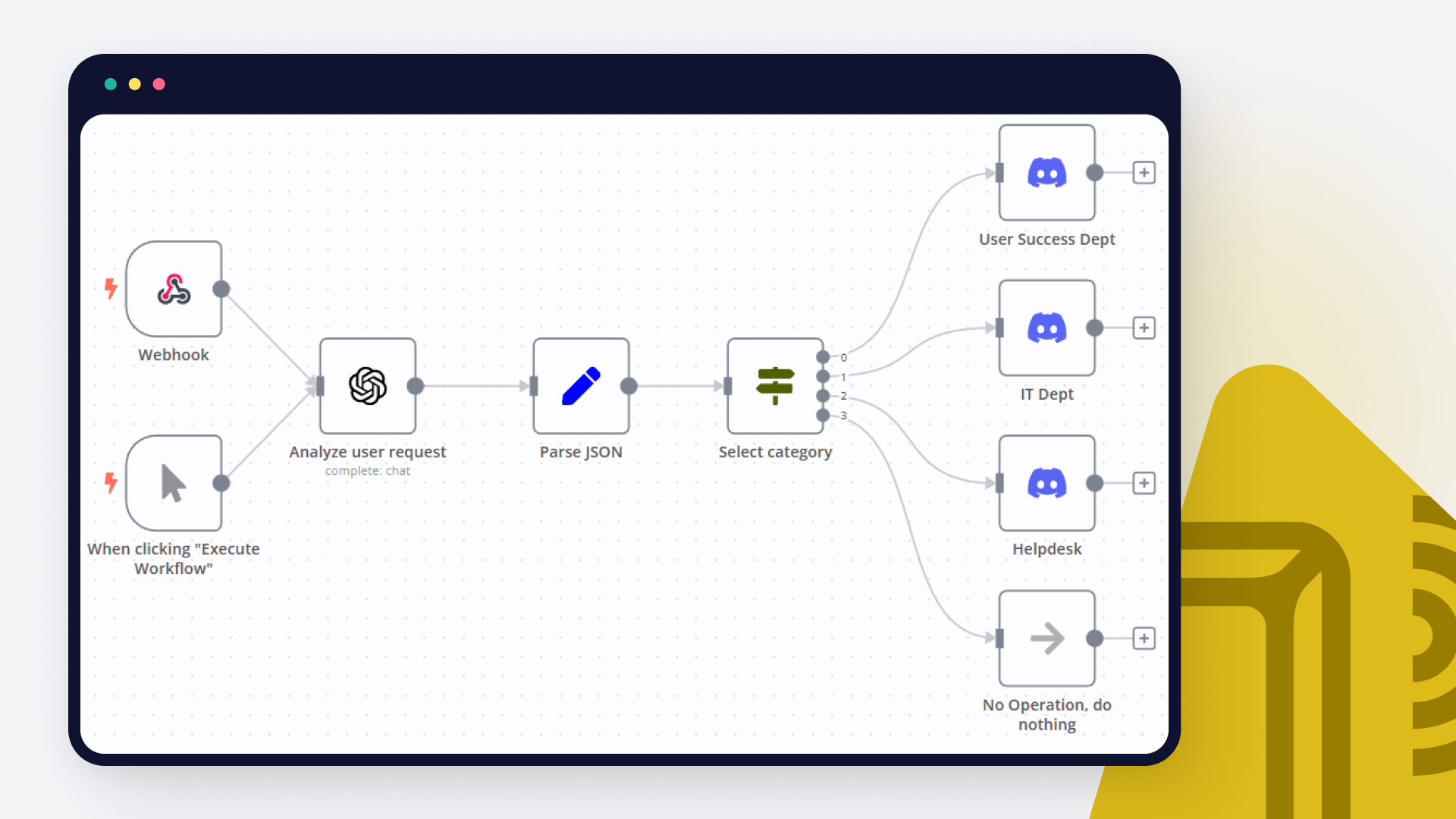
How to create a ChatGPT Discord bot
In this tutorial, we dive deep into how to create an AI bot for analyzing user requests and automating notifications in different Discord channels. Read on!
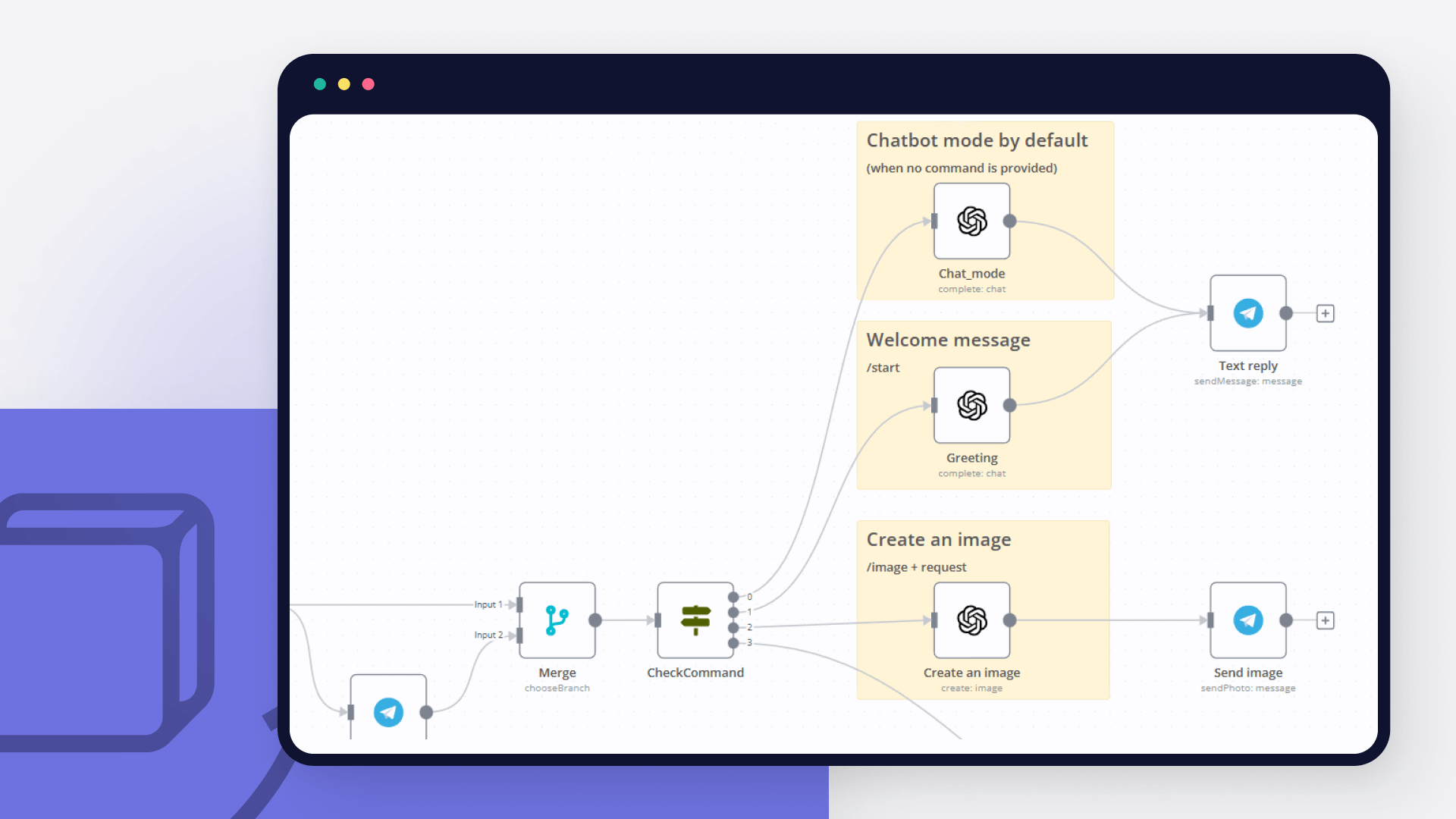
How to create an AI bot in Telegram
Learn how to create an AI chatbot for Telegram with our easy-to-follow guide. Ideal for users who are interested in exploring the realm of bot development without coding.

How to use OpenAI node with n8n to automate your workflows
Learn how to use OpenAI node together with n8n to automate your workflows – discover these 6 existing automation ideas!

How to get started with ChatGPT in your n8n projects: 5 simple workflows
Learn how to connect n8n with ChatGPT and effectively use this chatbot. Prompt engineering and prompt chaining is the trick!
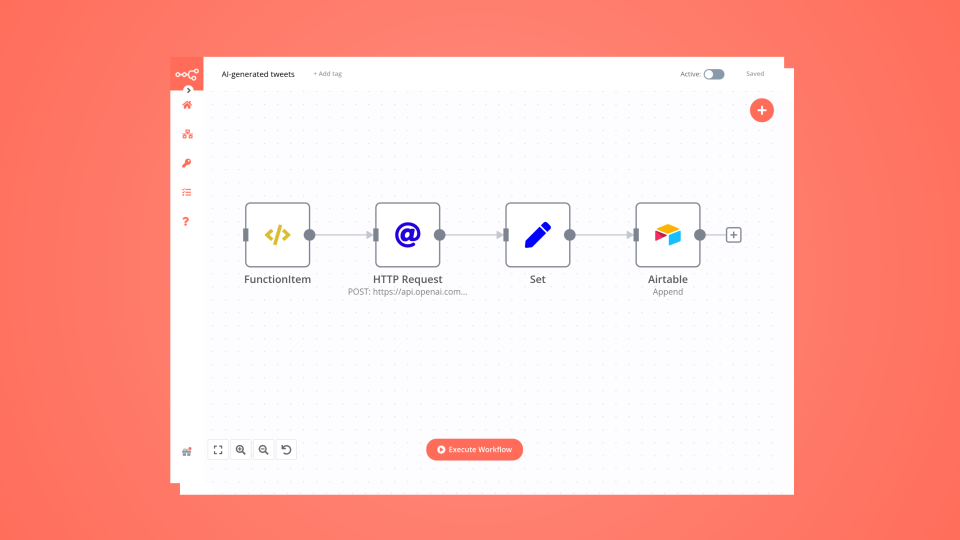
How to create an AI-driven tweet generator bot in 10 minutes
Lacking time or inspiration for your tweets? Then leverage OpenAI and n8n to generate tweets for you and store them in Airtable for further review.
FAQs
FAQ
Can OpenAI connect with Radar?
Can I use OpenAI’s API with n8n?
Can I use Radar’s API with n8n?
Is n8n secure for integrating OpenAI and Radar?
How to get started with OpenAI and Radar integration in n8n.io?
Need help setting up your OpenAI and Radar integration?
Discover our latest community's recommendations and join the discussions about OpenAI and Radar integration.

How to define AI-powered Extra Workflow Inputs in AI tools?
Artem
Describe the question I need to pass to the tool some data from the AI Agent. Like, “task name” and “task tags” to create a task via Custom Workflow Tool. So I don’t know what to refer to in the Extra Inputs. Because th…

The prompt is not being executed
sérgio eduardo floresta filho
Hello! My goal is to use Google Forms to collect information from my clients and then use n8n to automate the processing of this information. My workflow involves: Collecting data through Google Forms. Using n8n to re…

OpenAI not receicving JSON data from previous node
Andrew adawdad
Describe the problem/error/question Im currently using the openAI node to send a text message to the system. I am sending the previous nodes JSON data, but the openai response says that im only sending {{ $json }} instea…

Help with google sheets read node
PinkFloyd
Hi all, I am struggling with one part of my personal finance workflow where I want n8n to read a large table from Google Sheets and then feed all of it to an OpenAI node. I already set it up but can’t figure out how to f…

New openAi Web search
Steve Warburton
Is this available to n8n ? As far as I can see it’s just ( for now ) ChatGPT
The world's most popular workflow automation platform for technical teams including





Why use n8n to integrate OpenAI with Radar
Build complex workflows, really fast
