See llms.txt for all machine-readable content.


Quick overview
Follow public Greenhouse jobs by company, keyword, department, location and remote mentions. Maintain a current Google Sheets register of new matches, updates and confirmed closures, without an AI service or applicant data.
How it works
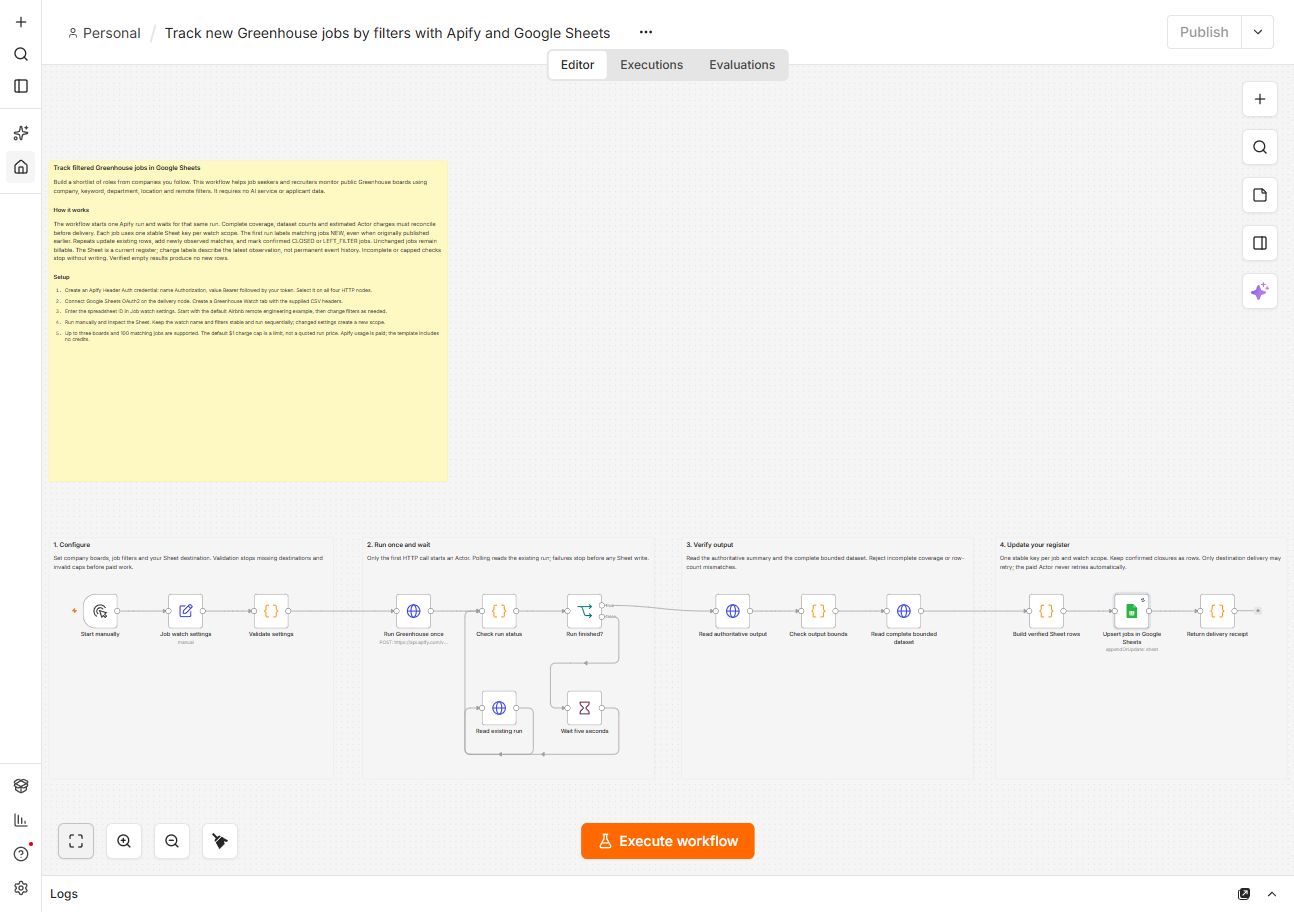
- Validate up to three boards, job filters, a stable watch name, Sheet destination and charge cap before paid work.
- Start the pinned Apify Actor once. Poll that same run; failures stop delivery without automatic paid retry.
- Require complete coverage and reconcile dataset counts and estimated Actor charges. A maximum of 100 current jobs is supported.
- First-run matches are NEW, including older postings. Repeats distinguish new matches, updates, unchanged jobs and confirmed CLOSED or LEFT_FILTER results.
- Upsert by one deterministic watch-and-job key. Repeats update existing rows; confirmed closure rows remain.
- Return a delivery receipt. This is a current register, not permanent event history. Verified empty checks create no new rows.
Setup
- Create an Apify Header Auth credential: name Authorization, value Bearer followed by your token. Select it on all four HTTP Request nodes.
- Connect Google Sheets OAuth2. Create a Greenhouse Watch tab and import the companion sheet-header.csv into its first row, preserving all 15 column names.
- Enter the spreadsheet ID in Job watch settings. Start with the Airbnb remote engineering example, inspect the Sheet, and repeat sequentially without overlapping runs.
Requirements
- An Apify account with usage credits and Google Sheets access. Unchanged verified jobs are billable. The default $1 cap is a limit, not a quoted run price.
Customization
- Change company boards and filters in Job watch settings. Changed settings create a new scope. Remote mentions do not guarantee worldwide eligibility.
Additional info