See llms.txt for all machine-readable content.


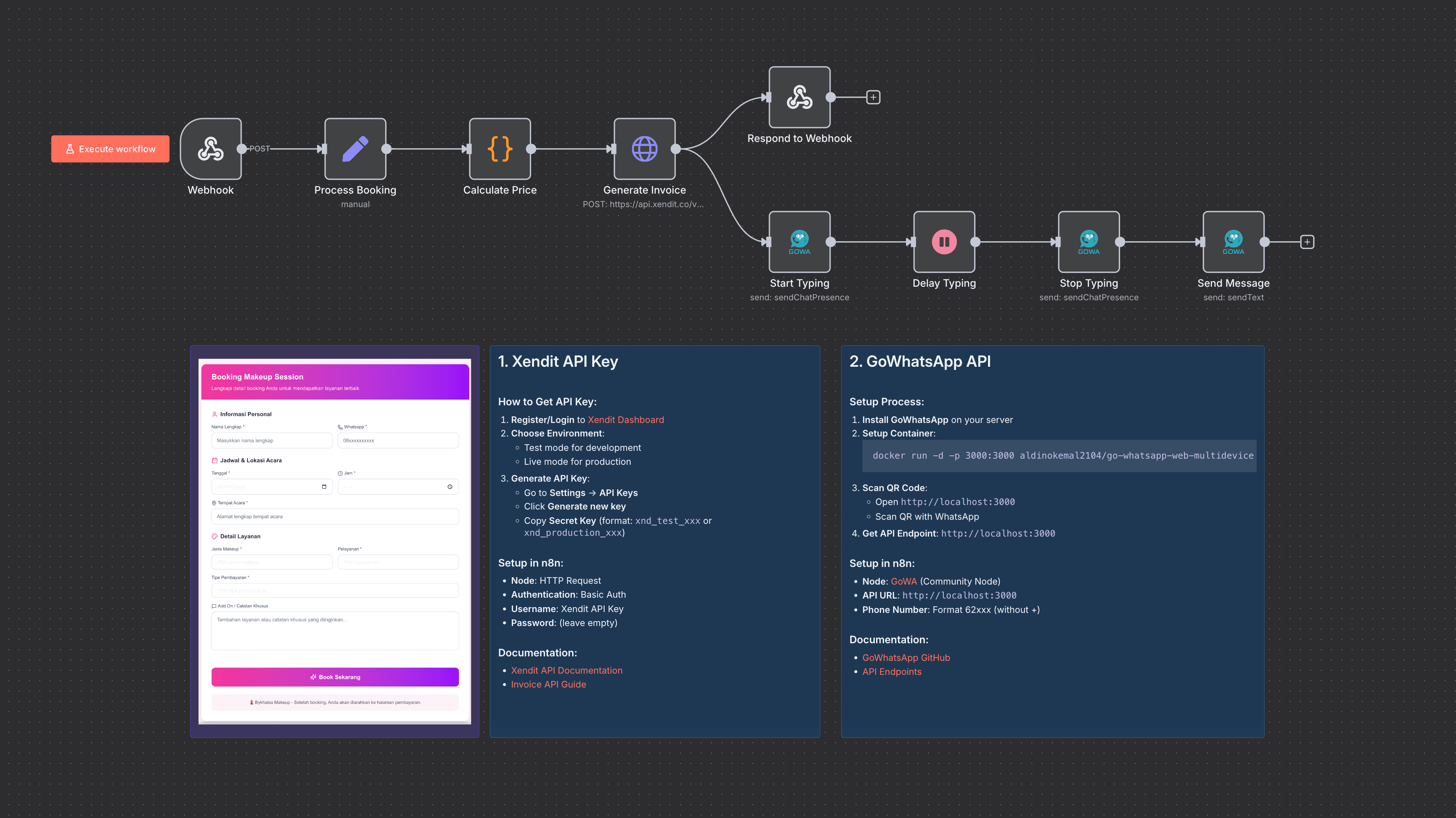
Disclaimer: This workflow uses community nodes and needs the self-hosted version of n8n.
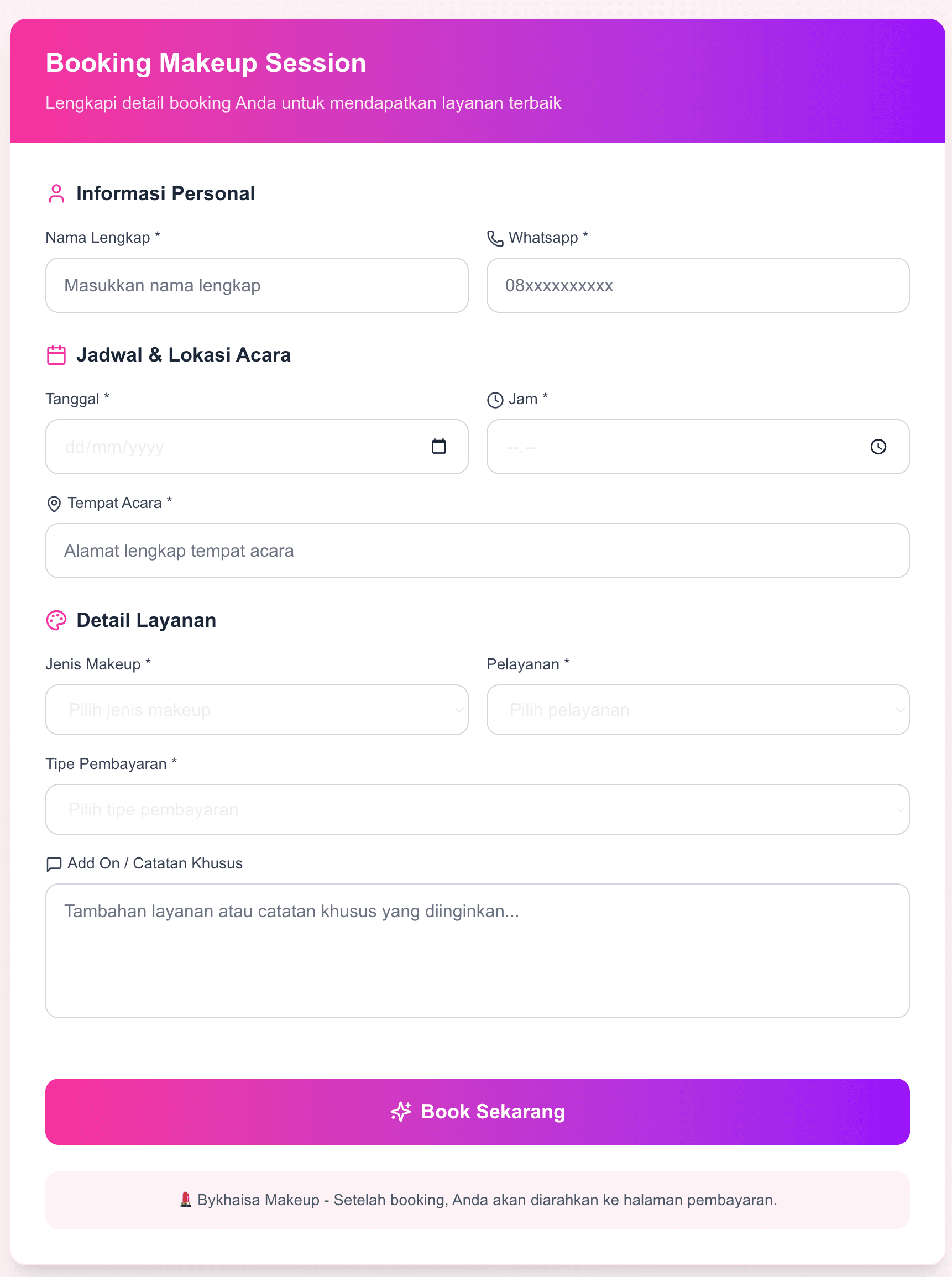
Code for UI Form is accessible here
The bykhaisa workflow takes makeup service bookings from start to paid: it captures customer details via webhook, calculates pricing with add-ons and payment types, generates payment invoices with Xendit, and sends personalized WhatsApp booking confirmations.
This combination of n8n, GoWhatsApp API, and Xendit cuts manual work and speeds up payment collection, saving time and keeping clients happy.
Last updated: September 2026.
Why Use bykhaisa?
-
Save Time: Automate booking and payment instead of hours of manual data entry.
-
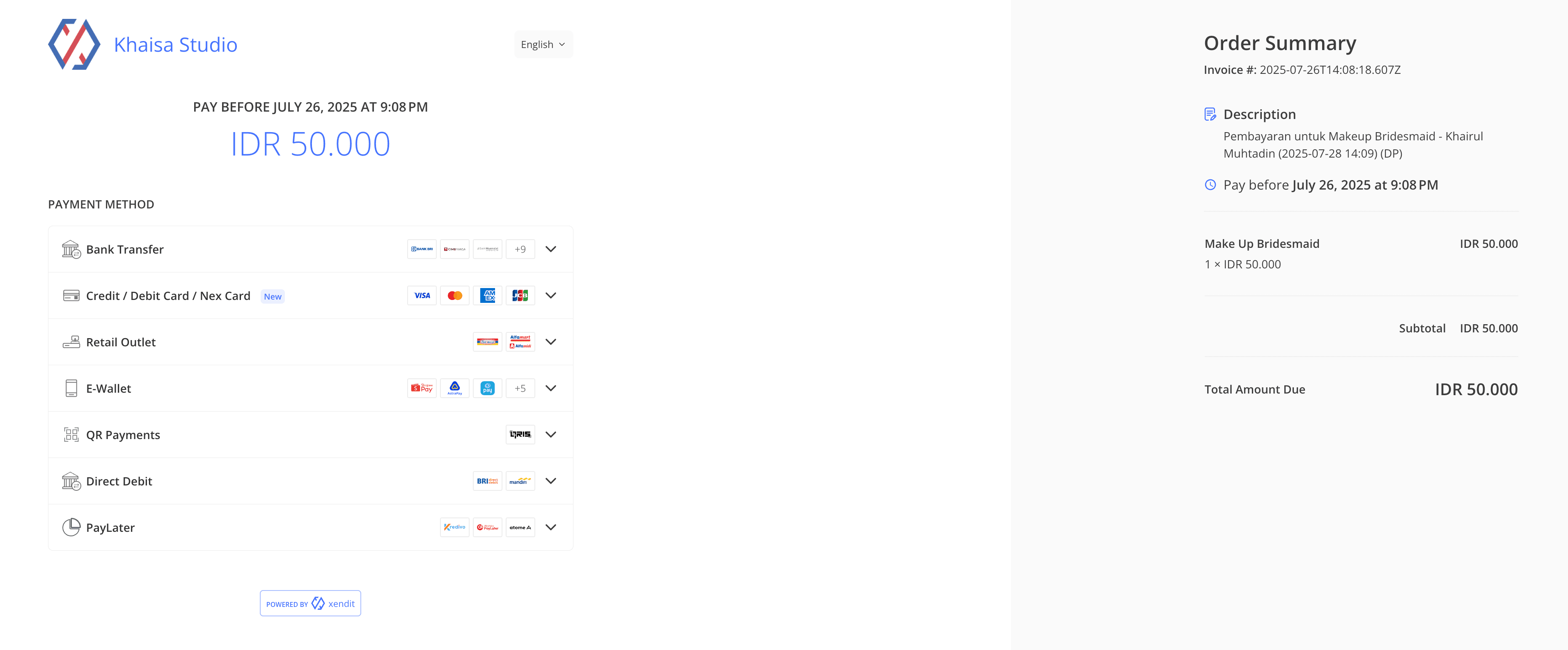
Simplify Payments: Generate Xendit invoices instantly so clients can pay securely and promptly.
-
Enhance Communication: Automated WhatsApp messages keep customers informed and engaged without lifting a finger.
-
Stand Out: A modern, seamless booking experience that sets your beauty business apart.
Perfect For
- Makeup Artists & Studios: A hassle-free booking and payment system.
- Beauty Salons: Smooth client communication and invoicing automation.
- Freelancers: A professional look with automated workflows and instant payment requests.
- General businesses with a booking system: A seamless booking process.
How It Works
- Trigger: Customer sends booking details via Form (a POST request to the webhook)
- Process: Booking data is extracted and formatted, prices calculated with add-ons and urgent fees, and a unique booking ID created.
- Smart Logic: The workflow decides Down Payment (DP) or full amount, sets invoice expiry, and generates Xendit invoices automatically.
- Output: WhatsApp notification with booking details and payment link goes to the customer, with friendly typing delays for a human touch.
- Storage: Booking data enriched with pricing and payment state, ready for follow-up or record-keeping.
Quick Setup
- Import JSON file to your n8n instances
- Add credentials: Xendit API key, GoWhatsApp API credentials
- Customize: Adjust pricing logic, add-on fees, and payment types as needed
- Update: Replace webhook URLs and redirect URLs for payment success/failure pages
- Test: Run the workflow with sample booking data to verify end-to-end automation
Requirements
- Active n8n instances
- Xendit account & API credentials for invoice generation
- GoWhatsApp API setup for WhatsApp messaging
- Optional: Custom domain for webhook endpoint
Level Up Ideas
- Add calendar integration to automatically block booked slots
- Integrate Google Sheets or Airtable for backup and reporting
- Set up payment reminders and follow-ups via WhatsApp automatically
Nodes Used
- Webhook - Receives booking requests
- Set (Process Booking) - Data transformation and formatting
- Code (Calculate Price) - Custom pricing logic with add-ons
- HTTP Request (Generate Invoice) - Xendit invoice creation
- Respond to Webhook - Send response back to client
- GoWhatsApp - WhatsApp messaging functionality
Quick Answers
How do customers pay?
Through Xendit invoices, either Down Payment (DP) or full amount, with an expiry you control.
How do customers book?
Through a form that posts to the webhook. Details and payment link follow over WhatsApp.
Does it run on n8n Cloud?
No. It uses community nodes, so you need self-hosted n8n.
Workflow Categories
- Category: E-commerce, Business
- Tags: automation, booking, invoicing, payments, whatsapp, makeup
Made by: khmuhtadin
Need custom work? Contact Me
Additional info
Built with n8n. Need an assessment on your business? Feel free to reach out at https://khmuhtadin.com/consultation/