Back to integrations
HTTP Request and Telegram integration
Save yourself the work of writing custom integrations for HTTP Request and Telegram and use n8n instead. Build adaptable and scalable Development, Core Nodes, workflows that work with your technology stack. All within a building experience you will love.




How to connect HTTP Request and Telegram
Create a new workflow and add the first step
In n8n, click the "Add workflow" button in the Workflows tab to create a new workflow. Add the starting point – a trigger on when your workflow should run: an app event, a schedule, a webhook call, another workflow, an AI chat, or a manual trigger. Sometimes, the HTTP Request node might already serve as your starting point.

Popular ways to use the HTTP Request and Telegram integration
✨🤖Automate Multi-Platform Social Media Content Creation with AI
Create & upload AI-generated ASMR YouTube Shorts with Seedance, Fal AI, and GPT-4
Generate AI viral videos with NanoBanana & VEO3, shared on socials via Blotato
Clone viral TikToks with AI avatars & auto-post to 9 platforms using Perplexity & Blotato
Generate Instagram content from top trends with AI image generation
Free AI image generator - n8n automation workflow with Gemini/ChatGPT
✨🩷Automated social media content publishing factory + system prompt composition
Telegram AI bot with LangChain nodes
🔍🛠️Generate SEO-optimized WordPress content with AI powered perplexity research
Auto-create TikTok videos with VEED.io AI avatars, ElevenLabs & GPT-4
🤖 Telegram messaging agent for text/audio/images
AI-powered stock analysis assistant with Telegram, Claude & GPT-4O Vision
AI marketing report (Google Analytics & Ads, Meta Ads), sent via email/Telegram
🤖 AI content generation for auto service 🚘 automate your social media📲!
Upload to Instagram, TikTok & YouTube from Google Drive
LinkedIn job search: auto-match resume with AI + cover letter & Telegram alerts
HR & IT helpdesk chatbot with audio transcription
🔍 Perplexity research to HTML: AI-powered content creation
Create AI viral videos using NanoBanana 2 PRO & VEO3.1 and publish via Blotato
Generate AI videos from scripts with DeepSeek, TTS, and Together.ai
Auto-create and publish AI social videos with Telegram, GPT-4 and Blotato
Build an AI powered phone agent 📞🤖 with Retell, Google Calendar and RAG
Automated invoice processing with Telegram, GPT-4o, OCR and SAP integration
AI Telegram bot agent: smart assistant & content summarizer
Advanced Telegram bot, ticketing system, liveChat, user management, broadcasting
Technical stock analysis with Telegram, Airtable and a GPT-powered AI agent
🤖💬 Conversational AI Chatbot with Google Gemini for Text & Image | Telegram
Convert YouTube videos to shorts with Klap & auto-post to multiple social platforms
✨🔪 Advanced AI powered document parsing & text extraction with Llama Parse
Generate & auto-post social videos to multiple platforms with GPT-4 and Kling AI
Ai-powered social media amplifier
Multiple websites monitoring with notifications including phone calls
From Google Drive to Instagram, TikTok & YouTube with AI descriptions & Airtable tracking
🚀 TikTok video automation tool ✨ – highly optimized with OpenAI & Replicate
Extract data from resume and create PDF with Gotenberg
🌐 Confluence page AI chatbot workflow
Crypto market alert system with Binance and Telegram integration
Automate & publish video ad campaigns with NanoBanana, Seedream, GPT-4o, Veo 3
✍️🌄 Your first Wordpress + AI content creator - quick start
Automated faceless YouTube video generator using Leonardo AI and Creatomate
Scrape Google Maps business leads with Apify & GPT-4 email extraction
Message on website content changed in Telegram
Create social media content from Telegram with AI
AI personal assistant for Google Tasks
Generate & publish SEO-optimized WordPress blog posts with AI
Create viral ads with AI: NanoBanana & publish on socials via upload-post
Convert image to text using GROQ LLaVA V1.5 7B
Create a multi-modal Telegram support bot with GPT-4 and Supabase RAG
One-way sync between Telegram, Notion, Google Drive, and Google Sheets
Telegram bot with Supabase memory and OpenAI assistant integration
Generate videos from text or images with Sora 2 AI - no watermark
Stock market technical analysis with GPT-4o and TradingView for Telegram
Multilanguage telegram bot
Automate job applications with Gemini AI, Notion tracking & multi-platform search
Generate trend-based marketing videos with Seedance AI, Perplexity, and GPT
Receive updates from Telegram and send an image
Nano banana AI image editor via Telegram
Daily AI news translation & summary with GPT-4 and Telegram delivery
AI-powered YouTube shorts automation: Create & publish with OpenAI & ElevenLabs
Automated research report generation with AI, Wiki, Search & Gmail/Telegram
Create product satisfaction surveys with Telegram, Google Sheets and AI
Personalize resumes & cover letters with AI, GitHub Pages and Google Drive
📄✨ Easy WordPress content creation from PDF docs + human in the loop Gmail
Monitor multiple Github repos via webhook
Real-time stock monitor with smart alerts for Indian & US markets
Extract text from images with Telegram Bot & Gemini 2.0 Flash OCR
Add data from a photo to Google Sheets
Competitor price monitoring with web scraping,Google Sheets & Telegram
Extend n8n with additional tools
Generating AI videos with VEO3 and distributing with Blotato across multiple platforms
Download Instagram reels & videos with Telegram bot
Transforming emails into podcasts
Hacker News throwback machine - see what was hot on this day, every year!
Multi-platform AI sales agent with RAG, CRM logging & appointment booking
Travel AI agent - AI-powered travel planner
Monitor favorite YouTube channels through RSS feeds and receive notifications
🤖🧑💻 AI agent for top n8n creators leaderboard reporting
University FAQ & calendar assistant with Telegram, MongoDB and Gemini AI
Automate multi-channel customer support with Gmail, Telegram, and GPT AI
Convert boring images to stunning photos and videos
Automated viral content engine for LinkedIn & X with AI generation & publishing
Generate & publish SEO blog posts to Blogger using OpenRouter AI & Mediastack News
Instagram content & DM automation with Gemini, Telegram, and Apify
Text-to-image generation with Google Gemini & enhanced prompts via Telegram Bot
Generate UGC promo videos with OpenAI, Sora 2 and Blotato for eCommerce
Download Instagram & Facebook Videos/Reels with Telegram Bot
Research-based article generator with OpenAI and web search for high SEO scores
Auto-generate SEO articles in WordPress with Gemini AI and OpenAI images
Transcribe audio files with Google Gemini and Telegram
Automate video content posting to multiple social platforms with Postiz
Health check websites with Google Sheets & Telegram alerts
Voice-powered marketing assistant with ElevenLabs, OpenAI & content generation
Send hourly crypto market analysis from Binance to Telegram
AI content creation and publishing engine with Mistral, Creatomate, and YouTube
Generate AI avatar videos with GPT-5 & publish to social media platforms
🛠️ Auto n8n updater (Docker)
Process receipts with Google Vision OCR, AI & Telegram to Google Sheets
Build a multi-modal Telegram AI assistant with Gemini, voice & image generation
Multilingual voice & text Telegram bot with ElevenLabs TTS and LangChain agents
Product video creator with Nano Banana & Veo 3.1 via Telegram
Send a message to Telegram on a new item saved to Reader
Extract & categorize receipt data with Google OCR, OpenRouter AI & Telegram
Automated cryptocurrency trading bot with ICT methodology, GPT-4o & Coinbase
Daily swing trade ideas with GPT-4, Yahoo Finance, Google Sheets & Telegram
Search and download torrents using transmission-daemon
Automate crypto news posting to X & Telegram with AI summarization
Automate docker container updates with Telegram approval system
Birthday and ephemeris notification (Google Contact, Telegram & Home Assistant)
Download TikTok videos without watermarks via Telegram bot
Create AI-generated UGC marketing videos with Telegram & GPT-4
Automated TikTok video downloader bot (no watermark) using n8n and Telegram
Personal knowledgebase AI agent
Automated Web Scraper: Niche Job/Product Monitor With Telegram Alert
Daily website data extraction with Firecrawl and Telegram alerts
Generate AI songs + music videos using Suno API, Flux, Runway and Creatomate
Midjourney Image Generator via Telegram and GoAPI
Generate videos from images with Telegram, GPT-4.1 & Seedance/Veo3 integration
Generate a YouTube bedtime story using OpenAI
Generate AI videos from Telegram messages with Nano Banana & Veo-3
Smart LinkedIn job filtering with Google Gemini, CV matching, and Google Maps
Send a random recipe once a day to Telegram
Auto-Generate & Approve Social Media Posts from RSS Feeds with OpenAI & Telegram
Automate video creation from voice input with HeyGen, GPT-5 & social publishing
Automated local business lead generator with AI, social media & WhatsApp links
Stock market analysis & prediction with GPT, Claude & Gemini via Telegram
Creating consistent character videos with Veo 3.1, GPT-4o, and Google NanoBanana
Periodically send data from HTTP Request node to Telegram
Automate YouTube thumbnail creation & social publishing with Templated.io & Blotato
Automated multi-agent trading analysis with GPT-5, Telegram, Coinbase & Notion
Extract text from images & PDFs via Telegram with Mistral OCR to Markdown
Automate YouTube Shorts creation from Telegram prompts using Gemini and VEO
Send daily affirmations to Telegram
Unlimited website down checker - Uptime Robot alternative
Generate VEED AI talking head videos from sheet rows with OpenAI or ElevenLabs
Create personal notes with voice transcription using local LLaMA and Telegram
Extract Details from Receipts via Telegram with Tesseract and Llama
Extract & structure invoice data with Google Vision OCR, Gemini LLM & Google Sheets
Email notifications to Telegram using temporary HTML URL hosting via GitHub Gist
Telegram payment, invoicing and refund workflow for Stars
Send daily weather forecasts from OpenWeatherMap to Telegram with smart formatting
💅 AI Agents Generate Content & Automate Posting for Beauty Salon Social Media 📲
Daily AI news briefing and summarization with Google Gemini and Telegram
Generate enhanced AI images via Telegram with DALL-E and GPT
Convert RSS feeds into a podcast with Google Gemini, Kokoro TTS, and FFmpeg
Generate & edit images with OpenAI GPT-Image-1 and share via Telegram
Telegram AI bot: NeurochainAI text & image - NeurochainAI basic API integration
🎙️ VoiceFlow AI: Telegram + Deepgram + OpenAI + Supabase audio assistant
Generate platform-optimized social media content across 6 platforms with GPT-4o
Generate & publish AI cinematic videos to YouTube Shorts using VEO3 & Gemini
Multi platform content generator from YouTube using AI & RSS
Monitor SSL certificate expiry with Google Sheets and multi-channel alert
Query and monitor Shopify orders via Telegram bot commands
Create daily YouTube playlist, using Google Sheets, and get notified in Telegram
Automate email discovery for companies with Anymail Finder, Google Sheets & Telegram alerts
Generate UGC videos from product images with Gemini and VEO3
Create a privacy-focused AI assistant with Telegram, Ollama, and Whisper
Automated video translation & distribution with DubLab to multiple platforms
Automate RSS content to blog posts with GPT-4o, WordPress & LinkedIn publishing
LinkedIn engagement automator with GPT-4o/Claude, human review & multilingual comments
Automated Thai content creation & publishing with Ollama, Gemini & Telegram
Transform product photos into social media videos with Gemini AI, Kling & LATE
US stocks earnings calendar AI updates to Telegram (Finnhub + Gemini)
Automatically copy & translate Telegram channel content with GPT-4o-mini
One telegram chat to edit, thumbnail & auto-post your videos everywhere
N8N español - bot multi idioma NoCode
Generate SEO-optimized WordPress blogs with Gemini, Tavily & human review
Generate viral CCTV animal videos using GPT and Veo3 AI for TikTok
Create authentic UGC video ads with GPT-4o, ElevenLabs & WaveSpeed lip-sync
Proxmox system monitor - VM status, host resources & temperature alerts via Telegram
Generate AI images in Telegram with GPT-4o enhancement and Flux Pro
AI-powered Telegram bot for data extraction with Bright Data MCP
Build a multi-functional Telegram bot with Gemini, RAG PDF search & Google Suite
Automated SSL Certificate Monitoring and Renewal with Notion and Telegram
Automate bitcoin trading insights with 10-exchange liquidity data and GPT-4.1 analysis
AI-powered multi-platform social media content factory with dynamic system prompts & GPT-4o
Generate UGC videos from product images with GPT-4, Fal.ai & KIE.ai via Telegram
Transform Instagram reels into viral content with Mistral AI, AssemblyAI & Sheets
Client feedback collector & analyzer (Form → AI summary → Email + Social draft)
Generate images with Pollinations & blog articles with Gemini 2.5 from Telegram
Generate AI images via Telegram using Gemini & Pollinations
Automate Cal.com meeting attendee management with Google Sheets, Beehiiv & Telegram
Generate frozen ASMR product videos with Gemini, Veo3, GPT-4o and post to YouTube, TikTok, Instagram and Pinterest
Monitor USDT ERC-20 wallet balance with Etherscan and Telegram notifications
Extract market cap data from Yahoo Finance with Bright Data & visualize in Telegram
Generate & publish AI faceless videos to YouTube Shorts using Sora 2
Auto-generate social media posts from URLs with AI, Telegram & multi-platform posting
TechCrunch AI article scraper & classifier with GPT-4.1-nano to sheets & Telegram
Automated AI product photography and Instagram post generator (Deepseek/Segmind)
Create UGC style product ad video via Telegram + Gemini + Kie.ai’s Veo3.1 API
AI candidate screening pipeline: LinkedIn to Telegram with Gemini & Apify
Auto-repost TikTok videos to YouTube Shorts with Google Sheets & Telegram alerts
Auto-publish content to 9 social platforms with Blotato & Airtable
Extract & store receipt data with GPT-4, OCR, Google Sheets & Notion via Telegram Bot
Crypto RSI alert system with EODHD, Telegram and TradingView charts
Transform videos with FAL AI avatar swaps & voice and publish to TikTok with Blotato
Automated property & restaurant bookings with AI voice calls via Telegram
Generate stock market insights with technical analysis, AI, and Telegram publishing
Automate RSS News to Telegram with GPT AI & Image Watermarking
Smart Amazon shopping assistant with Gemini AI and Telegram
Find jobs via Telegram bot: AI-powered LinkedIn, Indeed & Monster scraper
Stock market information assistant with Telegram, Yahoo Finance, and GPT-4 Nano
Track top meme coin prices with Telegram Bot and CoinGecko API
Create AI nature videos with Sora 2 (Kie AI), Gemini, and send to Telegram
Generate AI images with Telegram bot & auto-publish to social media using Nano Banana PRO
End of turn detection for smoother AI agent chats with Telegram and Gemini
Track expenses automatically with Telegram Bot using GPT-4o, OCR and voice recognition
Automatic job listings extraction and publishing template
Repurpose YouTube videos and publish via Blotato with Telegram, Sheets and GPT-4.1-mini
Auto-post Medium.com articles to LinkedIn with Telegram alerts
Auto-Generate & Publish SEO Blog Posts to WordPress with OpenRouter & Runware
Automated gold price tracker with multiple currency conversion for Telegram 📈
YouTube video transcription & summary to Telegram with GPT-4o
Automate Solana trading with Gemini AI, multi-timeframe analysis & AFK Crypto
Transform meeting notes into tasks using GPT-4.1-mini, Notion & TickTick via Telegram
Generate visual summary & knowledge graph insights for your email
Morning briefing podcast: generate daily summaries with Gemini AI, weather, and calendar
Nano Banana/Gemini 2.5 Telegram bot with multi-modal functionality
AI image generation & editing with Google Gemini and Telegram Bot
Multi-platform price finder: Scraping prices with Bright Data, Claude AI & Telegram
Instagram carousel posts from Google Drive via Cloudinary with Telegram alerts
AI-powered Telegram & WhatsApp business agent workflow
Create photorealistic social media images with Flux Realism, LoRa models & Airtable
Enhance real-estate photos with Google Nano Banana AI via Telegram bot
Automate Instagram reel downloads with Google Drive storage & Telegram alerts
Personalized weather assistant with Google Calendar, WeatherAPI, Gemini & Telegram
Telegram interior design studio with furniture cataloging & Gemini AI design generation
📍 Daily nearby garage sales alerts via Telegram
Publish LinkedIn & X posts with Telegram Bot, Gemini AI & Vector Memory
Generate Facebook marketing content from images with Telegram & Gemini
Get daily poems in Telegram
Document parsing & data extraction with Mistral OCR, AI processing, and multi-channel delivery
Create a Telegram bot with Mistral Nemotron AI and conversation memory
Multi-user Telegram bot to summarize & repurpose YouTube videos with GPT-4o
Analyze images & extract text with GPT-4o Vision and Telegram
Check Tron wallet USDT blacklist status via Telegram
Automate product ad creation with Telegram, Fal.AI & Facebook posting
Pdf RAG agent with Telegram chat & auto-ingestion from Google Drive
Get notified on Gmail, Telegram and Slack on new Stripe purchase
Send daily AI-generated quotes & images to Telegram with GPT-4o and Flux-pro
Generate and Publish SEO-Optimized Blog Posts to WordPress
Crypto market analysis with Chart-img, BrowserAI & GPT insights to Telegram
Telegram shopping assistant: Amazon product search with Apify & OpenRouter AI
Automate Your LinkedIn Engagement with AI-Powered Comments! 💬✨
Flight data visualization with Chart.js, QuickChart API & Telegram Bot
Automate LinkedIn content from Twitter AI posts with GPT-4 and Google Sheets
Restaurant GPT-4 receptionist for bookings & delivery using Vapi, Telegram, Airtable
Automate content publishing across 25 social media channels with Airtable & Postiz
Automated security alert analysis with Sophos, Gemini AI, and VirusTotal
Command-based Telegram bot for article summarization & image prompts with OpenAI
Multi-modal expense tracking with GPT-4, Gemini OCR, and voice via Telegram
Create a multi-model AI chatbot with Telegram, AIMLAPI, and Google Sheets
Automate RSS-to-social media with AI summaries and image generation
AI Virtual Try-On Image, Video Generation for Telegram, Discord & YouTube
Daily digest generator for Telegram groups with Gemini 2.5 Flash
Get a Telegram alert when a great lead submits form with MadKudu and Hunter
Audio transcription with Telegram and Groq Whisper
English vocabulary bot for Telegram with Gemini & random word API
Live flight fare tracker with Aviation Stack API – alerts via Gmail & Telegram
Ai-powered email triage & auto-response system with OpenAI agents & Gmail
Process telegram image albums with Data Tables Cache and NanoBanana AI
Generate professional product advertisements with Nano Banana Pro via Telegram
Zendesk: visual summarization, sentiment analysis, and Slack integration
Auto-post Dev.to articles to LinkedIn with Airtable tracking & Telegram alerts
Create AI-generated music playlists for YouTube using Suno, GPT-4, Runway & Creatomate
Voice-to-task manager with Telegram, GPT-4o & Notion database
Daily cybersecurity news summarizer with Grok AI for Telegram
Track real estate market pain points with Apify, GPT-4o and Telegram alerts
Track Forex Factory news releases with MyFxBook, Telegram & Google Sheets
Process voice, images & documents with GPT-4o, MongoDB & Gmail tools
AI-powered receipt and expense tracker with Telegram, Google Sheets & OpenAI
Landing page conversion optimizer with Gemini 2.5-pro & Telegram
Daily business ideas from IdeaBrowser to Telegram
Enriching Brazilian company data with CNPJ API and Google Sheets
⚡ Text → Viral Shorts | AI Video Studio in Telegram /w Setup Video
Monitor core web vitals with Lighthouse, Gemini AI, Telegram alerts & Google Sheets
💾 Generate Blog Posts on Autopilot with GPT‑5, Tavily and WordPress
Save & summarize articles from Telegram to Notion using GPT-4o
AI video automation engine - generate & publish YT shorts with Veo-3 or Sora 2
Generate academic assignments with Google Gemini & deliver via Telegram/PDF
Remote job updates pipeline with RemoteOK, Airtable, and Telegram
Bulk AI Image Generator, Rename Engine & 4× Upscaler
Automated B2B lead generation & cold emails with OpenAI, Apify, Gmail & Telegram
Real-time cryptocurrency price monitor with CoinGecko & multi-channel alerts
Create personalized email outreach with AI, Telegram bot & website scraping
Monitor commercial real estate opportunities from LoopNet with ScrapeGraphAI & Telegram
Generate custom recipes and restaurant-style food images with Telegram bot
Check suspicious links via Telegram with GPT-4 analysis of VirusTotal & urlscan.io results
Edit & deliver images with DALL-E 2, Google Drive & Telegram messaging
Automated quiz delivery from Google Sheets to Telegram with status tracking
Automated job extraction & publishing with RAG, Jina AI and OpenAI to WordPress
Filter breaking geopolitical news with AI scoring & Telegram alerts
Automate CV screening & analysis with Telegram, Gemini AI & Google Workspace
Ai email triage & alert system with GPT-4 and Telegram notifications
AI-powered invoice data extraction & approval workflow with ScrapeGraphAI & Telegram
UptimeRobot alerts to Telegram with visual verification
📊 AI token tracker for WhatsApp & Telegram – Save AI usage to Google Sheets
Cryptocurrency dip alerts for Bitcoin & Ethereum via Telegram, Slack & SMS
Generate and publish SEO-optimized blog posts to Blogger with OpenAI & DALL-E
Automatic Magento 2 product & coupon alerts to Telegram with duplicate protection
Automate YouTube channel analytics reports to Telegram weekly
Generate personalized sales outreach with GPT across LinkedIn, Email & WhatsApp
Clone and change your voice 🤖🎙️with Elevenlabs and Telegram
Automated YouTube publishing from Drive with GPT & Gemini metadata generation
Create branded LinkedIn carousels with GPT-4o-mini, Figma templates & templated
Enviar miembros del CMS Ghost hacia Newsletter Sendy
Automate website tool analysis with Telegram, Apify, AI & Google Sheets
Automated US stock portfolio analysis with Telegram, Perplexity AI & PDF reports
Generate anime images via Telegram with LLM-enhanced prompts and Gemini/Leonardo.AI
Generate AI-curated Reddit digests for Telegram, Discord & Slack with Gemini
Telegram bot for finding top-rated restaurants with Google Maps via SerpAPI
Create a one-minute video from Telegram prompts with Veo 3 and Fal.ai
Daily AI research summary from arXiv with Gemini AI, Notion & Telegram alerts
Daily news digest from RSS and YouTube using AI for Telegram
Create LinkedIn content from workflows using Gemini & Cloudflare AI
Create and publish AI social posts to multiple platforms using Blotato
📈 Hourly monitoring of crypto rates with Alpha Vantage API and Google Sheets
Design scalable sync workflows with Data Tables, ProspectPro and HubSpot
Analyze YouTube comments sentiment & keywords with Gemini AI and Telegram reporting
Fetch country-specific Google Trends reports via Telegram bot
Automate Gmail labeling with Gemini AI & build InfraNodus knowledge graph with Telegram alerts
Ai-powered restaurant newsletter creator with Mailchimp and Telegram approval
Send crypto BUY/SELL alerts for top 5 coins with OpenAI, WhatsApp, Telegram, and email
Extract Arabic text from PDFs with Mistral OCR, Telegram Bot & Google Docs
Monitor competitor Meta Ads creatives and send alerts with Google Sheets & Telegram
AI lyrics study bot for Telegram — Translation, summary, vocabulary
Automated trending cryptocurrency updates from CoinGecko to Telegram
Generate stock trading signals with Gemini 2.5 Pro & TwelveData via Telegram Bot
Transform selfies into professional LinkedIn headshots with Nano Banana Pro & Telegram
Automate invoice analysis via Telegram with ChatGPT-4o-mini extraction
Filter real-time news with Gemini AI and BrowserAct for Telegram channels
Automate UniFi controller updates via SSH with Telegram notifications
AI chatbot call center: demo call back (production-ready, part 6)
Support call analysis & routing with Gemini AI, ElevenLabs & Telegram alerts
Forex, crypto, mergers and financial markets AI analyst updates to Telegram
Get domain expiry reminders with Google Sheets, WHOIS, Telegram, and Ollama AI
Convert Gumroad sales to Beehiiv subscribers with Sheets & Telegram alerts
SOL trading recommendations w/ multi-timeframe analysis using Gemini & Telegram
Real-time stock insights using xAI
Forward email & LinkedIn message notifications from Reply.io to Telegram
Monitor Egyptian gold & currency prices with Telegram notifications
Multi-agent salon appointment management with Telegram, GPT5-mini & Claude MCP
Scrape & enrich Google Maps leads with Decodo API and Gemini 2.5 Flash
Trello task management with Telegram notifications and Supabase database
Generate ASO reports from Google Play Apps with Gemini AI & Google Docs
Multi-language Telegram RAG chatbot with supervisor AI & automated Google Drive pipeline
Capture and organize ideas via Telegram with GPT-4 & Google Sheets
Generate text & image responses in Telegram channels with GPT-4 and TGPT
Create dynamic crypto market monitors with Gemini AI and Telegram Bot
Create complete 20-song YouTube playlists with Suno API, Claude & Telegram bot
Google Play review intelligence with Bright Data & Telegram alerts
Telegram bot: analyze images with GPT-4o-Mini/NVIDIA Vila & generate images with Stable Diffusion 3
Automate Telegram channel post reactions with bot rotation & GPT-5-mini
KaizenCrypto - smarter crypto decisions with multi-timeframe AI analysis
Auto-download Reddit memes to Google Drive with duplicate detection & Telegram alerts
Ideal customer profile (ICP) generation: AI, Firecrawl, Gemini, Telegram
Crypto alpha scanner with OpenAI - on-chain and social alerts to Telegram
Create & publish affiliate product videos with Sora-2, GPT & YouTube
Get Colombian peso to USD exchange rate with Telegram bot and AI date recognition
Auto scrape X image posts & publish to Telegram with Google Sheets storage
Automated expense tracking with AI receipt analysis & Google Sheets
Freelancer Auto-Bid Bot — AI Proposals with Telegram Approval
Track & query expenses via Telegram with GPT-4.1 mini & Google Sheets
Generate social media captions for product images with Gemini AI and Telegram approval
Transform product photos into ad campaigns with Gemini Vision and Claude via Telegram
E-commerce price monitor with Firecrawl, Claude-Sonnet AI & Telegram alerts
Forum pulse for Telegram: community monitoring with Gemini & Groq AI models
Aggregate Twitter/X content to Telegram channel with BrowserAct & Google Gemini
Analyze competitor strategy from YouTube & RSS with Gemini AI to Notion & Telegram
LinkedIn job monitor: smart filtering + Google Sheets + Telegram/WhatsApp alerts
Daily MLB pitcher vs. batter matchup analysis with Google Sheets and Telegram
Generate UGC images from form submissions with Google Gemini and Telegram
Generate multi-format social visuals with Abyssale and publish via Blotato
Telegram fitness bot: Custom workout plans from photo/text using Gemini AI
Transcribe & analyze Telegram voice messages with AssemblyAI & GPT-4.1 to Gmail
Update Dialogflow intent responses via Telegram bot commands
YouTube to telegram summary bot with Decodo & Gemini AI
Product review analysis with BrowserAct & Gemini-powered recommendations
Build a Telegram AI assistant with MemMachine, OpenAI, and voice support
ZenTrade - AI Stock Trade Advisor
Automated resume tailoring with Telegram Bot, LinkedIn & OpenRouter AI
Multi-source news curator with Mistral AI analysis, summaries & custom channels
Automatic backup of workflows to GitHub with email/telegram notifications
Plant care reminder with OpenWeather, Sheets and Telegram
Automated AI & LLM newsletter with BrowserAI and email/Telegram delivery
Transform product photos into studio-quality visuals with Nano Banana & Telegram
Post images and text from Google Drive and Sheets to LinkedIn
Play RPG with Groq Dungeon Master via Telegram voice messages
Create a voice & text Telegram assistant with Lookio RAG and GPT-4.1
Web content to Telegram publisher with AI enhancement & image watermarking
Create AI-curated news digests with GPT-5.1, NewsAPI, Tavily & Telegram
Sync and enrich HubSpot leads from Google Sheets and Telegram with Gemini and Lusha
Record transactions & generate budget reports with Gemini AI, Telegram & Firefly III
Service scheduling & route planner for deliveries with Notion, Telegram and Maps
LinkedIn lead personalization with Google Drive, Apify & AI
Website downtime monitoring with smart alerts via Telegram & Email
Build a Telegram Q&A bot with Linkup web search, GPT-4.1 & Mistral voice
Daily Import Yesterday's Forex Factory Calendar to Google Sheets with Telegram Alerts
Indeed job matching to Telegram with BrowserAct, Gemini & Telegram
AI text-to-image for Telegram (Gemini + Hugging Face FLUX)
Automate Telegram support handover from AI to humans with GPT4 and email alerts
Scheduled currency exchange rate updates to Telegram with Exchange Rate API
Create AI dream videos with analysis using Veo3 and Telegram
Automate Bitget spot trading with GPT-4o-mini AI agent via Telegram
Automated stock technical analysis with xAI Grok & multi-channel notifications
Automate PPOB business operations with Telegram Bot & Digiflazz API
Analyze Binance Futures markets with TA indicators, OpenAI news checks, and Telegram alerts
Import research papers from Telegram to Zotero with AI abstract summaries
Monitor competitors & generate content ideas with GPT4 & Gemini to Google Sheets
AI-powered lead processing from Apify with Gemini and Google Sheets
Create TikTok videos with GPT-4o, Digital Twins, Veo 3 and Telegram
Generate viral LinkedIn content with GPT and images using Telegram bot interface
Send daily inspirational quotes with Gemini translation to Telegram subscribers
Zip code-based business lead generation with Google Maps and Sheets
Create WooCommerce products via Telegram bot with Google Gemini AI
View fantasy football roster details with Sleeper API and Telegram chatbot
Extract transactions from images using unli.dev Vision API & Telegram
Create & publish inspirational videos with FFmpeg, Google Drive & YouTube
Magento maintenance via natural language with GPT and Telegram/WhatsApp
AI news digest: Summarize top stories with GPT-4o and DALL-E for Telegram
Text-to-video generator & social media publisher with Fal.ai and Telegram approval
Automate Singapore COE price analysis & purchase timing with GLM-4.5 AI predictions
GitHub fork status monitor
Monitor Reddit job posts with GPT-4o analysis & Telegram alerts using Google Sheets
Score Upwork jobs and generate proposals with Apify, GPT-4o, Google Sheets and Telegram
Log daily mood & weather to Notion with Telegram and OpenWeatherMap
Delete Dialogflow intents via Telegram commands
Daily NASA APOD Images to Instagram with Telegram Notifications
Retrieve & share NFL Fantasy Football draft results from Sleeper to Telegram
Generate personalized cold email icebreakers with GPT-4 from Google Sheets to instantly
Create a searchable document archive with Telegram, Drive, OCR and Airtable
Safely update n8n with version checks and Telegram notifications
Monitor brand mentions on X with Gemini AI visual analysis & Telegram alerts
Monitor X/Twitter for hiring posts with Apify, AI filtering & Telegram alerts
Retrieve deadlock game match statistics and send to Telegram
Summarize YouTube videos with Gemini AI and send via Telegram
Chat with news articles using AI analysis in Telegram with vector search
Generate newsletter images with Nano Banana & Post Human-Approved Tweets to X
Manage tasks, email & calendar with GPT-4o personal assistant on Telegram
Send AI-enhanced economic calendar alerts to Telegram with Gemini-2.0-Flash
Automated Wazuh rule deployment pipeline with GitHub, XML validation & Telegram alerts
Generate Hollywood-style video ads from images with GPT-5 Mini and Fal.ai Sora-2
Get IPO calendar alerts via Telegram with Finnhub API and Gemini AI
Movie release calendar: Add TMDB films to Google Calendar via Telegram Bot
🐟 Smart fish feeder: weather-based feeding system with BMKG & Telegram alerts
Generate Images on Telegram 🤖🖼️ from Text and Voice using Grok Imagine & Kie AI
Moderate Facebook comments with AI and send reports to Slack & Telegram
Cross-platform content publisher: Telegram to WordPress, Facebook, X & LinkedIn
Extract text from PDFs and images in Google Drive and post to WordPress and social media with OpenAI GPT-4.1 and DALL·E
Estimate construction costs from text, photos and PDFs with Telegram, GPT‑4/Gemini and DDC CWICR
Build a Telegram subscription gate with lead magnet and upsell sequence
Automated expense tracking with Telegram, easybits & Google Sheets
Daily & on-demand weather reports with OpenWeatherMap to Telegram
Find hiring posts on Threads with Apify, AI filtering, and Telegram alerts
Get a daily cybersecurity news digest on Telegram and Slack with GPT-4
Create personalized news digests with GPT-5.1, SerpAPI, and Telegram delivery
Forex AI trading assistant for Telegram using chatGPT-4o (with Position Sizing)
Create AI UGC videos from Telegram voice notes using OpenAI & HeyGen
Automate post-meeting tasks with Fireflies, GPT-4o & ClickUp
Reddit freelance job monitor with Google Sheets tracking and Telegram alerts
Automate Trump Truth social monitoring with Telegram & Discord alerts
Automatic Instagram content creation with OpenAI, Nano Banana and Telegram check
Fetch daily job postings from JSearch to Google Sheets and Telegram
Automate digital product delivery & sales tracking with Stripe, Email, Notion & Telegram
AI-powered NDA review & instant alert system - Jotform, Gemini, Telegram
Crypto exchange listing & delisting alerts to Telegram, X, and Discord
Find AliExpress affiliate products via Telegram with OpenAI and Decodo
Send personalized job application emails with Telegram, OpenAI, and Gmail
Sync Productboard features to Linear issues with Telegram notifications
Real-time crypto price bot for Telegram with Gemini AI & CoinGecko
Track crypto prices, new listings & transactions with CoinGecko & Google Sheets
Real-time ISS overhead alert with weather check and multi-channel notifications
Lead enrichment pipeline: Leadfeeder to Apollo to Google Sheets
Transform voice notes into business reviews with Groq Whisper & GPT-5 to Google Slides
Pick a daily Facebook comment contest winner with OpenAI, Airtable and Telegram
Export Dialogflow intents with priority levels to Google Sheets via Telegram
Convert Telegram channel posts to WooCommerce products automatically
Automate rental agreements with BoldSign, Google Sheets & Gemini AI
Automated Shopify abandoned cart alerts from Razorpay to Telegram
Monitor commodity markets with Apify, DeepL translation & sector impact analysis
Publish RSS articles to WordPress and social media platforms
Generate structured article summaries with Telegram, Claude AI & Jina Reader
Route Telegram channel posts to X, Threads, and LinkedIn using @mentions
Apollo data enrichment using Company Id, Google Sheets & Telegram
Automated customer support system with Gmail, GPT-4 & vector knowledge base
Automated trip weather forecasts from Google Calendar to Telegram
News collection & multi-platform publishing with GPT, DALL-E, & social media API
Track Singapore COE prices with AI forecasting & smart buy recommendations via Telegram
Automate LinkedIn engagement with GPT-4o sentiment analysis & smart comments
Recover no-show appointments with Calendly, Telegram & email alerts
Generate institutional-grade stock price targets and BUY/HOLD/SELL signals with GPT-5, Gemini, Alpha Vantage and Google Sheets
Analyze meeting sentiment with Azure OpenAI and save insights to Google Sheets
Monitor workflow errors via n8n API with Gemini analysis and Telegram alerts
Estimate construction costs from text with Telegram, OpenAI and DDC CWICR
🌸 CFO sunrise — Soft-Tech morning brief for household CEOs (n8n template)
Automate product launch sequence with Notion, Mailchimp, Buffer, Google Calendar & Telegram
Generate Instagram carousels from Telegram prompts using OpenAI and Kie AI
Auto-track Amazon prices with Google Gemini & send alerts to Telegram
Automated appointment approval system with GPT-4 Mini, JotForm, and Telegram
Convert Gmail emails to Telegram voice messages with GPT-5 and Inworld TTS
Generate intraday AAPL trade signals using live data, OpenAI, Telegram and Notion
Schedule weekly Facebook posts from Google Sheets every Sunday
Get real-time international space station visibility alerts with N2YO and Telegram
Automated Indonesian weather alerts with BMKG data & Telegram notifications
Daily competitor WordPress analysis with charts, Gemini & Telegram reporting
Automated economic calendar PDF reports to Telegram via RapidAPI
Automated lead qualification for JotForm with Google Gemini & Telegram alerts
Monitor Google Maps reviews with sentiment analysis & RAG agent using Pinecone
Get AI crypto price analysis via Telegram using GPT-4o-mini and TwelveData
Generate AI images via Telegram with WaveSpeed, credit system, PIX and S3
Collect viral Instagram AI art with GPT-4 analysis and Telegram delivery
Look up English vocabulary via Telegram and save results to Notion
Automate meeting scheduling through Telegram with Google Calendar & Notion CRM
Decodo-powered AI research paper extraction & summarization with ChatGPT
Generate visual resumes from Telegram using Google Gemini and BrowserAct
Translate RSS news and publish to WordPress, Facebook, LinkedIn and Telegram
Automated tech news report by ApiFlash, Gemini Vision & Sheets to Telegram
Send daily Malaysian weather alerts with Perplexity AI, Firecrawl and Telegram
Generate hyper-realistic images from Telegram via Gemini Nano Banana 2
Enhance & expand Telegram images to 3:2 with CodeFormer & LightX AI
Daily news curation with Gemini AI: auto-filter & publish to Notion & Telegram
Scrape RSS job posts, deduplicate with Google Sheets, and send Telegram alerts
🔄 Async Video Polling Engine - Background Job Handler for AI Video Generation
Scrape Google Maps leads with GPT-4 and assign them in Notion via Telegram
Create Bosta shipping orders from Odoo invoices using OpenAI GPT models
Protect Telegram groups with math CAPTCHA verification and Google Sheets
Track invoice spending vs budget from Google Drive with GPT-4o and Telegram alerts
Monitor website changes and send diff alerts via Telegram and email
Publish LinkedIn posts from tech trends with Ollama AI quality checks
Automatically add watermarks to images with Telegram Bot and ImageKit.io
Create Shopify products via a Telegram bot with Google Gemini AI
Video speech enhancement with OpenAI Whisper and GPT-4o TTS for multilingual delivery
Send severe weather alerts from Visual Crossing to Telegram
KodoFlow - Futures & Options Trading Copilot
Create WordPress posts and Telegram updates from links with BrowserAct and Gemini
Import Faire products to Shopify using BrowserAct, Gemini, and Telegram
Generate, translate and publish AI content to WordPress and socials with GPT-4.1 and Google Sheets
Send 24-hour Hacker News trends to Telegram with OpenRouter AI translation
Score and route leads with Telegram alerts and Box storage
Share new Shopify products to WordPress, Facebook, Instagram, LinkedIn and more using OpenAI
Extract employee emails from company domains with BrowserAct and Google Sheets
Verify service providers via Telegram using BrowserAct and Google Gemini
Analyze domain threats via Telegram with VirusTotal, AbuseCH, and Gemini AI
Forward Zoho Mail emails to Gmail with Gemini AI analysis and Telegram digest
Generate LinkedIn posts using Telegram, Supabase vector DB and OpenAI RAG
Generate portfolio screenshots and Upwork copy with Firecrawl, ScreenshotOne, OpenAI and Google Workspace
Curate key RSS articles with OpenAI, save to Notion, and notify via Telegram
Automated NASA Image & Content Publisher for WordPress and Multi-Social Media
Watch GitHub releases and Docker tags, analyze changelogs with Claude Haiku, and send update digests to Slack, Discord, Telegram, and ntfy
List properties instantly with UploadToURL, OpenAI Vision, WordPress and Airtable
Generate Meta Ads campaign reports in Google Sheets and send Telegram alerts
Discover daily business opportunities with Google Gemini, Sheets and Telegram
Build your own HTTP Request and Telegram integration
Create custom HTTP Request and Telegram workflows by choosing triggers and actions. Nodes come with global operations and settings, as well as app-specific parameters that can be configured. You can also use the HTTP Request node to query data from any app or service with a REST API.
Telegram supported actions
Get
Get up to date information about a chat
Get Administrators
Get the Administrators of a chat
Get Member
Get the member of a chat
Leave
Leave a group, supergroup or channel
Set Description
Set the description of a chat
Set Title
Set the title of a chat
Answer Query
Send answer to callback query sent from inline keyboard
Answer Inline Query
Send answer to callback query sent from inline bot
Get
Get a file
Delete Chat Message
Delete a chat message
Edit Message Text
Edit a text message
Pin Chat Message
Pin a chat message
Send Animation
Send an animated file
Send Audio
Send a audio file
Send Chat Action
Send a chat action
Send Document
Send a document
Send Location
Send a location
Send Media Group
Send group of photos or videos to album
Send Message
Send a text message
Send and Wait for Response
Send a message and wait for response
Send Photo
Send a photo
Send Sticker
Send a sticker
Send Video
Send a video
Unpin Chat Message
Unpin a chat message
HTTP Request and Telegram integration details
HTTP Request
Related categories
Other integrations with Telegram


HTTP Request and Telegram integration tutorials

How to create an AI bot in Telegram
Learn how to create an AI chatbot for Telegram with our easy-to-follow guide. Ideal for users who are interested in exploring the realm of bot development without coding.
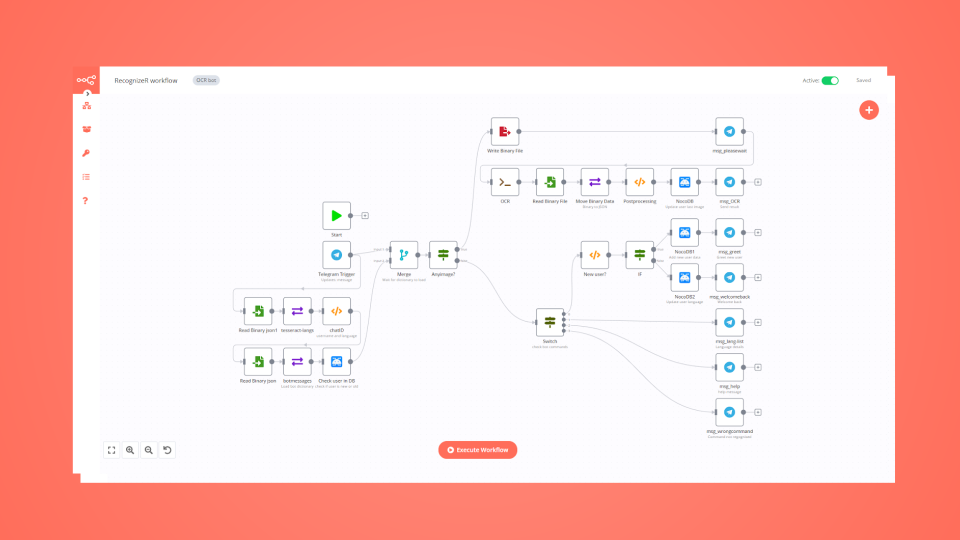
How to build a multilingual Telegram bot with low code
Learn how to build a multilingual bot for Telegram with a few lines of JavaScript code, a NocoDB database, and conditional logic in an automated workflow.
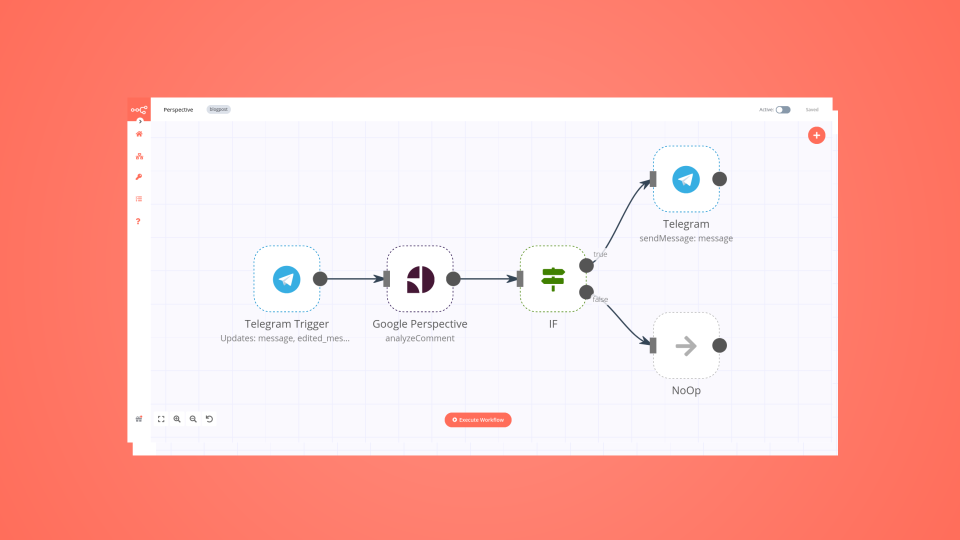
Create a toxic language detector for Telegram in 4 steps
Leverage the power of automation and machine learning to enable kinder online discussions.
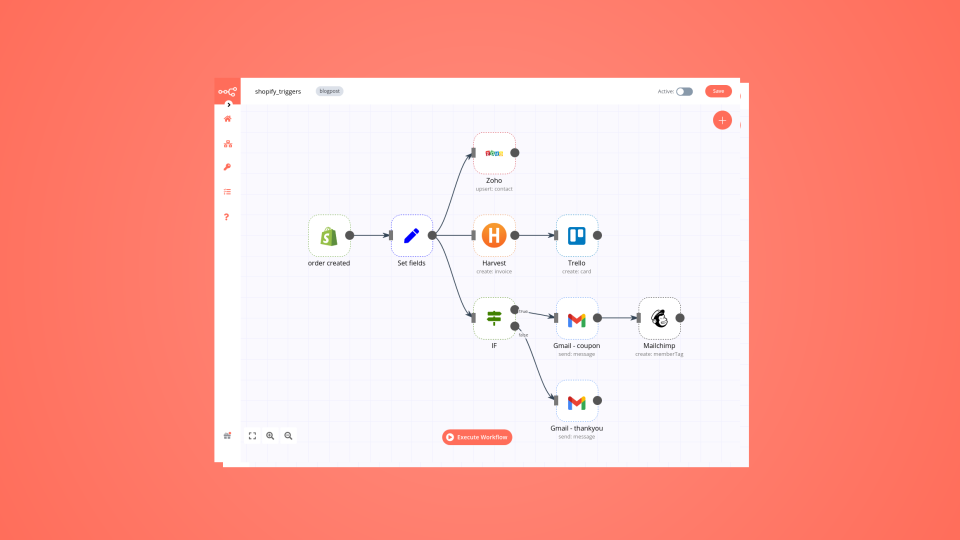
6 e-commerce workflows to power up your Shopify store
Want to power up your online business and win back time? Discover how no-code workflow automation can help!
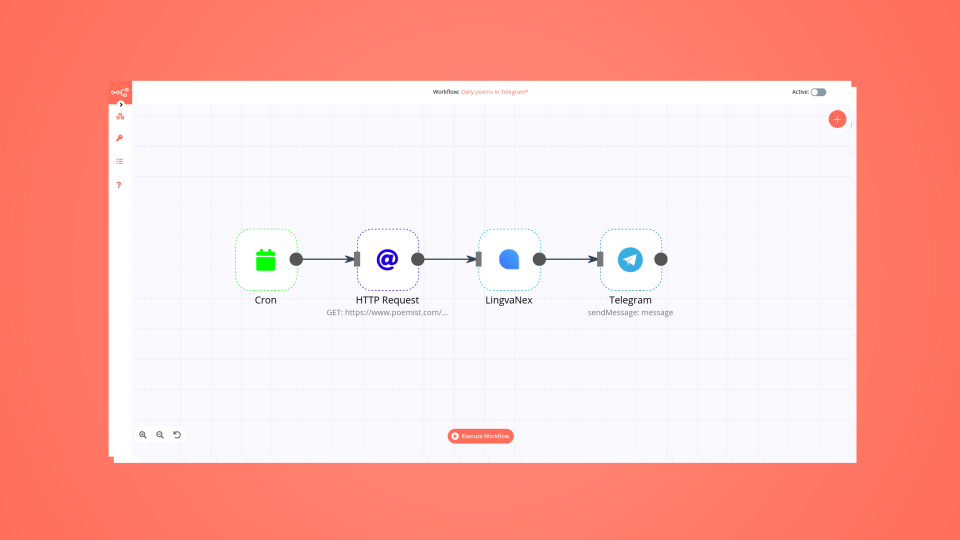
How to automate your reading habit just in time for World Poetry Day
Learn how to create a no-code workflow that gets international poems, translates them into one language, and sends you a poem in Telegram every day.

Using automation to boost productivity in the workplace
Instead of using IFTTT or Zapier, which can be pretty limiting on a free tier, I decided to try n8n, which is a fair-code licensed tool.
FAQs
FAQ
Can HTTP Request connect with Telegram?
Yes, HTTP Request can connect with Telegram using n8n.io. With n8n, you can create workflows that automate tasks and transfer data between HTTP Request and Telegram. Configure nodes for HTTP Request and Telegram in the n8n interface, specifying actions and triggers to set up their connection.
Can I use HTTP Request’s API with n8n?
Yes, with n8n, you can programmatically interact with HTTP Request’s API via pre-defined supported actions or raw HTTP requests. With the HTTP Request node, you create a REST API call. You need to understand basic API terminology and concepts.
Can I use Telegram’s API with n8n?
Yes, with n8n, you can programmatically interact with Telegram’s API via pre-defined supported actions or raw HTTP requests. With the HTTP Request node, you create a REST API call. You need to understand basic API terminology and concepts.
Is n8n secure for integrating HTTP Request and Telegram?
Yes, it is safe to use n8n to integrate HTTP Request and Telegram. n8n offers various features to ensure the safe handling of your data. These include encrypted data transfers, secure credential storage, RBAC functionality, and compliance with industry-standard security practices (SOC2 compliant). For hosted plans, data is stored within the EU on servers located in Frankfurt, Germany. You can also host it on your own infrastructure for added control.
Learn more about n8n’s security practices here.
How to get started with HTTP Request and Telegram integration in n8n.io?
To start integrating HTTP Request and Telegram in n8n, you have different options depending on how you intend to use it:
- n8n Cloud: hosted solution, no need to install anything.
- Self-host: recommended method for full-control or customized use cases.
Unlike other platforms that charge per operation, step, or task, n8n charges only for full workflow executions. This approach guarantees predictable costs and scalability, no matter the complexity or volume of your workflows.
Need help setting up your HTTP Request and Telegram integration?
Discover our latest community's recommendations and join the discussions about HTTP Request and Telegram integration.

Google Verification Denied
Moiz Contractor
Describe the problem/error/question Hi, I am getting a - Google hasnt verified this app error. I have Enable the API, the domain is verified on the Cloud Console, the user is added in the search console and the google do…

HTTP request, "impersonate a user" dynamic usage error
theo
Describe the problem/error/question I a http request node, I use a Google service account API credential type. I need the “Impersonate a User” field to be dynamic, pulling data from the “email” field in the previous nod…

Why is my code getting executed twice?
Jon
Describe the problem/error/question I have a simple workflow that retrieves an image from url with http node and prints the json/binary in code. I have a few logs, but I am confused why I see duplicate messages for each …

How to send a single API request with one HTTP node execution, but an array of parameters in it (like emails[all]?)?
Dan Burykin
Hi! I’m still in the beginning. Now I need to make an API call via HTTP node, and send all static parameters, but with the array of emails parameter (named it wrongly just to show what I need {{ $json.email[all] }}). Wo…

Start a Python script with external libraries - via API or Command Execution?
Tony
Hi! I have a question: I am making an app that allows a person to scrape some data via a Python library. I have a Python script that needs to be triggered after certain user actions. What is the best way to: Send a p…
The world's most popular workflow automation platform for technical teams including





Why use n8n to integrate HTTP Request with Telegram
Build complex workflows, really fast
